cancel
Showing results for 
Search instead for 
Did you mean: 

July 7 - July 17 | Round 2 of the Power BI Dataviz World Championships. Don't miss your chance! Learn more

Reply
kschan
New Member

Timestamp timezone in dashboard

My data contains timestamp in UTC. In the report, the data is showing as local time, as expected. The visual is a Card. Pinning it to a dashboard, I expect the data to show as local time, but it is showing UTC.

I don't believe that it is a designed behavior, so I checked the site javascript.

(I don't have the original source code of course)

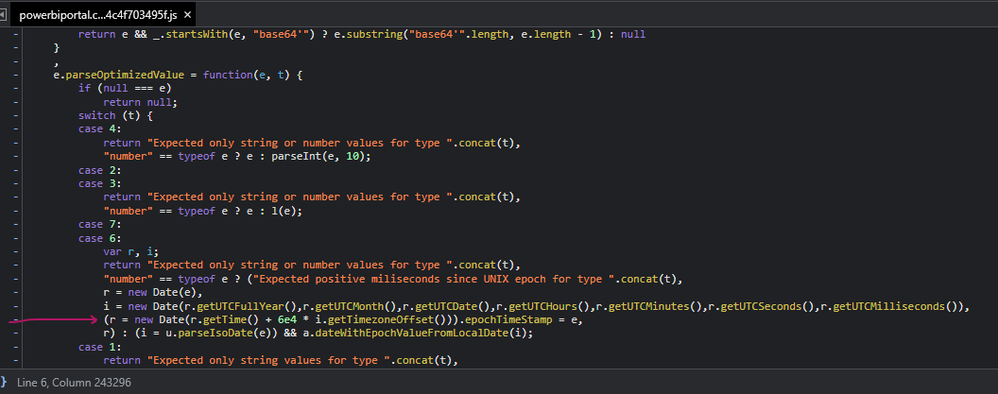
In this snippet of powerbiportal.common.bundle.min.....js, near the line with a red arrow, is what I think is causing the problem.
image.png


0 REPLIES 0

Helpful resources

Announcements
FabCon and SQLCon Barcelona 2026

FabCon & SQLCon – Barcelona 2026

Join us in Barcelona for FabCon and SQLCon, the Fabric, Power BI, SQL, and AI community event. Save €200 with code FABCMTY200.

60 days of Data Days Carousel

Data Days 2026

Join Data Days 2026: 60 days of free live/on-demand sessions, challenges, study groups, and certification opportunities.

Power BI DataViz World Championships carousel

Power BI DataViz World Championships - June 2026

A new Power BI DataViz World Championship is coming this June! Don't miss out on submitting your entry.