

cancel
Showing results for 
Search instead for 
Did you mean: 

Get Fabric Certified for FREE during Fabric Data Days. Don't miss your chance! Request now

Reply
MawashiKid
Resolver II
Resolver II

The custom visuals gallery is moving to the Office store.

Hi,


ICYMI... I stumbled on this article

https://powerbi.microsoft.com/en-us/blog/custom-visuals-now-available-in-the-office-store/


and it seems the Custom Visuals gallery is moving to the Office store
https://store.office.com/en-us/appshome.aspx?productgroup=PowerBI&ui=en-US&rs=en-US&ad=US


The
visuals gallery will still be available until we finish moving all of the visuals to the Office store, however new submissions will only go to the Office store. All custom visuals that were ever downloaded from the gallery will continue to work as usual even after the gallery will be deprecated...


Hmmmmm okay then...

5 REPLIES 5
andrewhann
Helper II
Helper II

Saw this also - but files from Office Store aren't in the right format to import.

RE: but files from Office Store aren't in the right format to import.


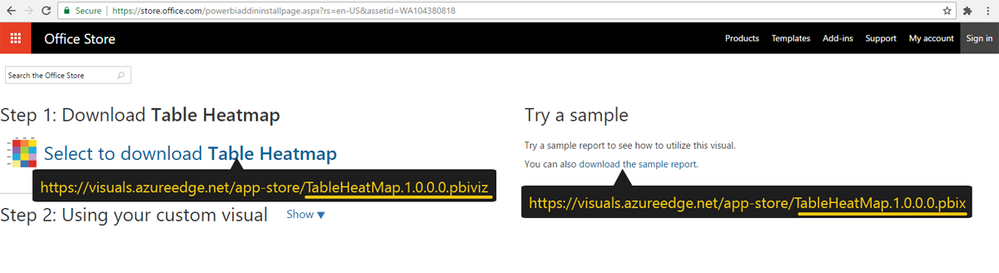
Hmmm that's strange... any particular custom visual? I just downloaded a copy of TableHeatmap from Office Store and didn't encounter anything wrong as custom visual was available in both pbix report sample and .pbiviz package version...

OfficeStore.png
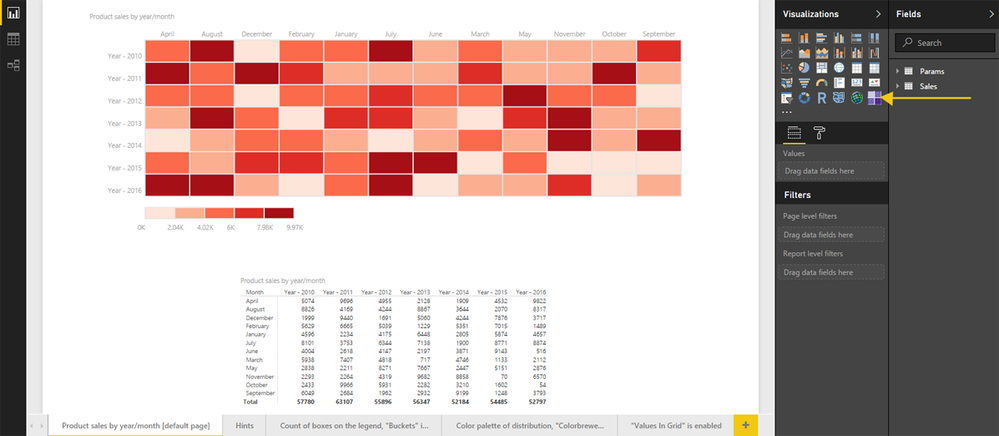
also had no real problem running the pbix sample first, then import the pbiviz package and rebuild the same scenario
in Power BI Desktop afterwards. 
PBIXDesktop.png


Anyway I'll give it a closer round check... we never know... 😉

I may be being stupid - but if I download the TableHeatmap from the Office Store I get a zip file which when uncompressed has some resources and a json file but no pbviz file to import into power bi.


Never have a problem downloading from the community site.

Hey,


Don't worry you're not stupid, nor did you have ant psychedelic visions [lol]... I believe I know why... In the case sample I mentioned above, both pbiviz and pbix files downloads were done through Google Chrome browser ...
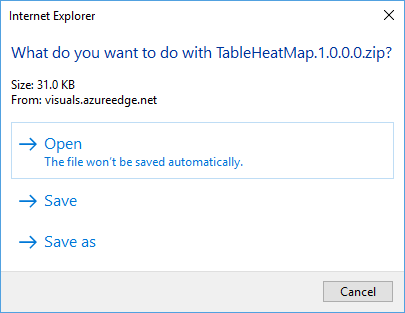
though when using Internet Explorer 11, I ended up with same zip result as you mentioned...


IEPBIVIZ.png

Same scenario in case of The Edge browser... Hmmm... 

A bit bizarre considering the fact that both IE 11 are Microsoft, still...

So indeed in these cases, you would end up with a download . zip format  file...

ZIP.png

In my case I simply manually renamed the file extension from zip to pbiviz

pbiviz.png

and was able to import it.


But hey... what can I say, dealing with different browsers versions and behaviours is an old virtue virtue of necessity, we developers had to deal with since the beginning of the Web... 

Thank you Mawashkid, I had same problem, renaming works great.

but I can't still understanda why so different results depend from the browser.

Anyway....

Helpful resources

Announcements
November Power BI Update Carousel

Power BI Monthly Update - November 2025

Check out the November 2025 Power BI update to learn about new features.

Fabric Data Days Carousel

Fabric Data Days

Advance your Data & AI career with 50 days of live learning, contests, hands-on challenges, study groups & certifications and more!

FabCon Atlanta 2026 carousel

FabCon Atlanta 2026

Join us at FabCon Atlanta, March 16-20, for the ultimate Fabric, Power BI, AI and SQL community-led event. Save $200 with code FABCOMM.