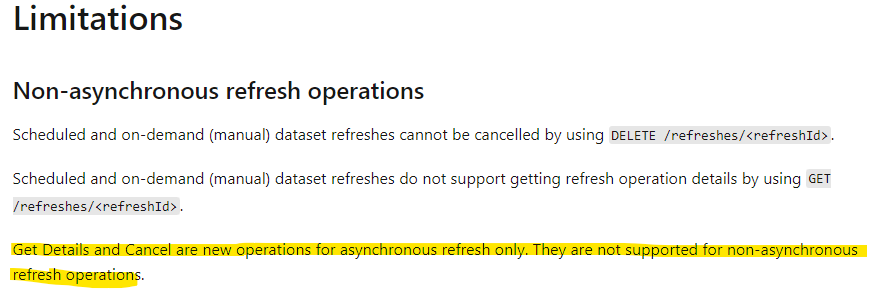
I'm testing the waters with some REST calls for Power BI. I'm using the PowerShell cmdlets. I can successfully make calls to some api endpoints for example listing the refresh history of a dataset
Datasets - Get Refresh History In Group - REST API (Power BI Power BI REST APIs) | Microsoft Docs
But others return an error even though I am following the documentation. For example,
Datasets - Cancel Refresh In Group - REST API (Power BI Power BI REST APIs) | Microsoft Docs
Invoke-PowerBIRestMethod -Method Delete -Url 'groups/xxxxx-xxxx-xxxx-xxxx-xxxxxc54c/datasets/xxxxxx-xxx-xxxx-xxxx-xxxxxx2bb0f/refreshes/xxxxxx-xxxx-xxxx-xxxx-xxxxx5b444'
 Message : Response status code does not indicate success: 405 (Method Not Allowed).
StackTrace : at System.Net.Http.HttpResponseMessage.EnsureSuccessStatusCode()
at Microsoft.PowerBI.Commands.Profile.InvokePowerBIRestMethod.<InvokeRestMethod>d__35.MoveNext()
Exception : System.Net.Http.HttpRequestException
InvocationInfo : {Invoke-PowerBIRestMethod}
Line : Invoke-PowerBIRestMethod -Method Delete -Url .....
Position : At line:1 char:1
+ Invoke-PowerBIRestMethod -Method Delete -Url 'groups/9bbe36b5-cb03-4e ...
+ ~~~~~~~~~~~~~~~~~~~~~~~~~~~~~~~~~~~~~~~~~~~~~~~~~~~~~~~~~~~~~~~~~~~~~
I had similar error trying to invoke
Datasets - Get Refresh Execution Details In Group - REST API (Power BI Power BI REST APIs) | Microso...