Don't miss your chance to take the Fabric Data Engineer (DP-700) exam on us!
Learn moreWe've captured the moments from FabCon & SQLCon that everyone is talking about, and we are bringing them to the community, live and on-demand. Starts on April 14th. Register now
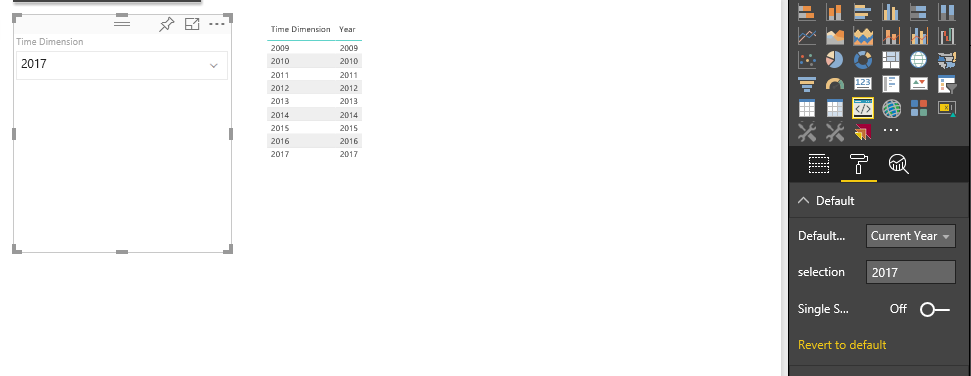
I have created a custom slicer which is getting default value from the options, like if you select current year from the options it will set Current year as Slicer default value and filter the data with that option.
Slicer works perfectly fine in Google Chrome but in IE there is an issue in selection manager.
When selection occurs, I can see the value of selection in my code while debugging but it does not apply the filter and it does not show filtered data in other tables and if I change other slicer’s value or refresh the data then value appears in my slicer and it filters the data in all other visuals. So it does not get applied on first time.
I am using this code to apply the filter:
this.selectionManager.select(this.selectionIds[value.toString()],true).then((ids: ISelectionId[]) => {
$(".Dropdown li input[type=checkbox][data-value='" + value.toString() + "']").prop('checked', true);
});
this.selectionManager.applySelectionFilter();
Any help regarding this will be appreciated, really need this to be working!!
Could you please share the complete visual project? I'll do a quick test.
You could also send an email to pbicvsupport@microsoft.com.
If you have recently started exploring Fabric, we'd love to hear how it's going. Your feedback can help with product improvements.
A new Power BI DataViz World Championship is coming this June! Don't miss out on submitting your entry.
Share feedback directly with Fabric product managers, participate in targeted research studies and influence the Fabric roadmap.
| User | Count |
|---|---|
| 1 | |
| 1 | |
| 1 | |
| 1 | |
| 1 |