Hi guys
I have a issue to embed a report to my website. I use File --> Embed (Securely embed this report in a website or portal) option in the dropdown menu to get the embed link, then integrate the html iframe embed link to my website.
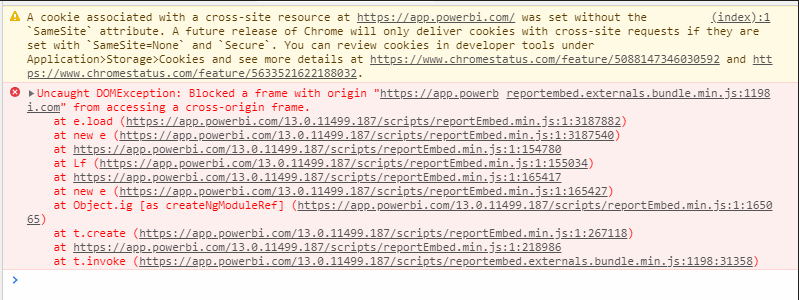
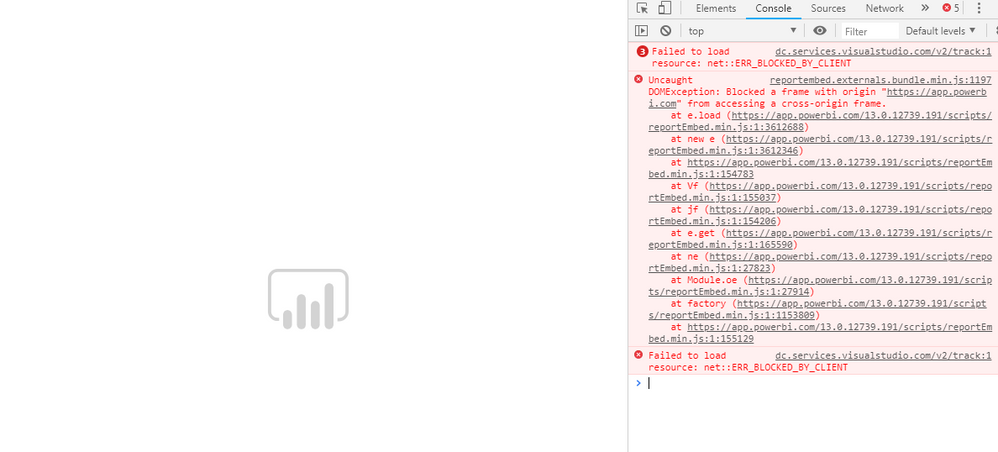
The question is that when I try to access the embedded content in my website, it first asks me to enter my Power BI credentials (my account is Power BI Pro account). but I get only a "Loading" animation on my screen after login with a cross domain error. Here below is the error log shown in the console of browser devtool. Any one have a tutorial or guidance to resolve this issue. Thanks.
reportembed.common.bundle.min.js:40 Uncaught DOMException: Blocked a frame with origin "https://app.powerbi.com" from accessing a cross-origin frame.
at Function.t.requestLocalizedStrings (https://app.powerbi.com/13.0.7994.169/scripts/reportembed.common.bundle.min.js:40:7469)
at t.load (https://app.powerbi.com/13.0.7994.169/scripts/reportembed.common.bundle.min.js:40:7024)
at https://app.powerbi.com/13.0.7994.169/scripts/reportembed.common.bundle.min.js:40:7893
at https://app.powerbi.com/13.0.7994.169/scripts/reportembed.common.bundle.min.js:40:7901
at https://app.powerbi.com/13.0.7994.169/scripts/reportembed.common.bundle.min.js:40:7942
at https://app.powerbi.com/13.0.7994.169/scripts/reportembed.common.bundle.min.js:40:7971
t.requestLocalizedStrings @ reportembed.common.bundle.min.js:40
t.load @ reportembed.common.bundle.min.js:40
(anonymous) @ reportembed.common.bundle.min.js:40
(anonymous) @ reportembed.common.bundle.min.js:40
(anonymous) @ reportembed.common.bundle.min.js:40
(anonymous) @ reportembed.common.bundle.min.js:40
powerbiportal.explore.bundle.min.js:7 Uncaught TypeError: Cannot read property 'utils' of undefined
at powerbiportal.explore.bundle.min.js:7
at powerbiportal.explore.bundle.min.js:7
at powerbiportal.explore.bundle.min.js:7
at powerbiportal.explore.bundle.min.js:7
(anonymous) @ powerbiportal.explore.bundle.min.js:7
(anonymous) @ powerbiportal.explore.bundle.min.js:7
(anonymous) @ powerbiportal.explore.bundle.min.js:7
(anonymous) @ powerbiportal.explore.bundle.min.js:7
reportembed.bundle.min.js:6 Uncaught TypeError: Cannot read property 'ContentTileType' of undefined
at reportembed.bundle.min.js:6
at reportembed.bundle.min.js:6
at reportembed.bundle.min.js:6
at reportembed.bundle.min.js:6
(anonymous) @ reportembed.bundle.min.js:6
(anonymous) @ reportembed.bundle.min.js:6
(anonymous) @ reportembed.bundle.min.js:6
(anonymous) @ reportembed.bundle.min.js:6