Get certified for free when you join Fabric Data Days 2026 and dive into Fabric, Power BI, SQL, AI, and other essential data skills.
Join nowData Days is here! Join us now for 60+ days of learning, challenges, and connection. Learn more
How do I raise a custom event within a custom visual which will be picked up by the reportContainer. This seems to happen by "magic" when using the categorical dataViewMappings however when using table.
"dataViewMappings": [
{
"table": {
"rows": {
"select": [{
"for": { "in": "Values" }
}],
"dataReductionAlgorithm": { "top": { "count": 30000000 } }
},
"rowCount": { "preferred": { "min": 1 } }
}
}
]no event is fired.
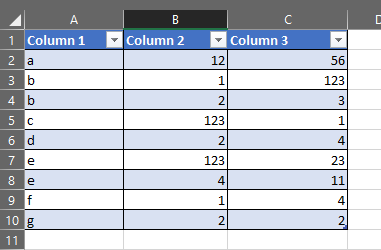
I have tried using the table template but this does not seem work. I cannot get it to display a two dimensional array. E.g. a spreadsheet.
Thanks,
Based on my experience, you can use addEventListener() method. As for the layout, just play with HTML and CSS.
Managed to raise a custom event but this is still not picked up by the report.on function within the iframe. I have tried the table template which uses the categorical DataViewMappings but this does not show the data in the manner I need.
All I want is to click on a row and have the report.on function be notified.
Not sure why this seems to be so hard but is the simplist way of showing data.
report.on('dataSelected', event => {
debugger;
return;
});Next attempt consisted of in the click
let myEventData = []; myEventData[0] = this.innerHTML; let myHTMLElement = this; raiseCustomEvent(myHTMLElement,"dataSelected",myEventData); console.log(this.innerHTML);
Wondering if I should try WindowPostMessageProxy. I guess it is my lack of knowledge of the product but this seems really hard to do something which looks quite simple. Thanks for taking the time to reply.
There are a few limitations to using Power BI JavaScript API as well, just leave a comment on GitHub.
Don't miss out on Data Days, June 15 through August 7. Learn Fabric, Power BI, SQL, AI and more.
Check out the May 2026 Power BI update to learn about new features.
| User | Count |
|---|---|
| 2 | |
| 2 | |
| 1 | |
| 1 | |
| 1 |