Thank you for your answear.
We tried to change the margins but it did not solve the problem.
The following packages are used: ggplot2, dplyr, plotly, tidyr, RColorBrewer, ggthemes, extrafontdb
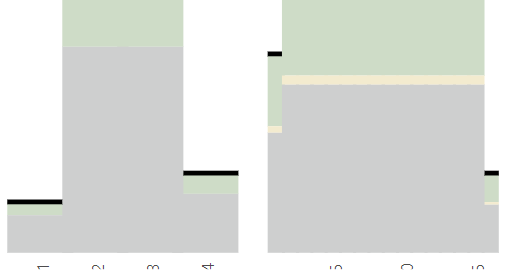
Part of the facetplot code is provided below:
g<-ggplot(data = totalLong, aes(fill = eval(parse(text="Fill")), x = eval(parse(text=XName)), y = eval(parse(text="y")), text=paste0("Fill: ",Fill,"
","T: ",round(y,0),"
",XName,": ",eval(parse(text=XName))))) + geom_bar(stat="identity", position="stack",width = 1.2) + geom_segment(data = hlineData,aes(x=x,y=segY,xend=xe, yend=ye,fill=NULL,size=TotalLineSize,color=TotalColor,linetype=TotalLineType,text="")) + scale_size_identity() + scale_colour_identity() + scale_linetype_identity() + Theme + ylab(ylabel) + facet_grid(.~eval(parse(text=FacetName)), space = "free_x", scales = "free_x") + theme(strip.background = element_rect(fill = NA), panel.spacing = unit(0.5, "lines"), panel.grid.minor=element_blank(), panel.grid.major=element_blank(), axis.text.x = element_text(angle=90), axis.ticks.x=element_blank(), legend.title=element_blank(), axis.title.x =element_blank(), axis.title =element_text(size = titletextSize, colour = colLabel), axis.text = element_text(size = axisTextSize), legend.text=element_text(size=legendtextSize), panel.background = element_rect(fill="white"), text=element_text(family="Segoe UI"), strip.text.x = element_text(size = 14, family = "Segoe UI"), legend.position=LegendPosition) + paletteTheme + scale_x_discrete(expand=c(0,0)) + scale_y_continuous(limits=c(0,sumTotal+130), breaks=seq(0,sumTotal,100),expand=c(0,0)) p = ggplotly(g,tooltip="text") %>% config(displayModeBar = F) %>% layout(hoverlabel=list(bgcolor="white"))