Join us at FabCon Atlanta from March 16 - 20, 2026, for the ultimate Fabric, Power BI, AI and SQL community-led event. Save $200 with code FABCOMM.
Register now!Learn from the best! Meet the four finalists headed to the FINALS of the Power BI Dataviz World Championships! Register now
Hi
I am facing the exception while creating the PowerBiClient Object.
Could not load file or assembly 'Newtonsoft.Json, Version=7.0.0.0, Culture=neutral, PublicKeyToken=30ad4fe6b2a6aeed' or one of its dependencies. The system cannot find the file specified.
By looking the solution in one of the forum , i have added the redirecting dependecy aw well. but still facing this issue.
Task<AuthenticationResult> tokenAccessKey = Program.GetToken();
var tokenCredentials = new TokenCredentials(tokenAccessKey.Result.AccessToken, tokenAccessKey.Result.AccessTokenType);
using (var client = new PowerBIClient(new Uri(ApiUrl), tokenCredentials))
{
}
Questions: is these below making this problem
1. What should be my ApiUrl ? ex: "https://app.powerbi.com/"
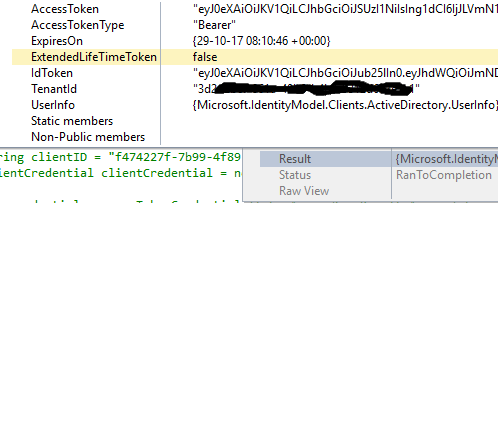
2. my tokenCredentials object's Client ID and Tenent Id returning null. event though the tokenAccessKey is valid
Solved! Go to Solution.
Hi,
I faced this issue becasue of version conflict of Newtonsoft.Json between "6.0.0.0" and "7.0.0.0"
"Could not load file or assembly 'Newtonsoft.Json, Version=7.0.0.0, Culture=neutral, PublicKeyToken=30ad4fe6b2a6aeed' or one of its dependencies. The system cannot find the file specified."
Download 7.0.0.0 from nuget and add in webconfig. started working.
Thanks,
@bhagya wrote:
Hi
I am facing the exception while creating the PowerBiClient Object.
Could not load file or assembly 'Newtonsoft.Json, Version=7.0.0.0, Culture=neutral, PublicKeyToken=30ad4fe6b2a6aeed' or one of its dependencies. The system cannot find the file specified.
By looking the solution in one of the forum , i have added the redirecting dependecy aw well. but still facing this issue.
Task<AuthenticationResult> tokenAccessKey = Program.GetToken();
var tokenCredentials = new TokenCredentials(tokenAccessKey.Result.AccessToken, tokenAccessKey.Result.AccessTokenType);using (var client = new PowerBIClient(new Uri(ApiUrl), tokenCredentials))
{
}
Questions: is these below making this problem
1. What should be my ApiUrl ? ex: "https://app.powerbi.com/"
2. my tokenCredentials object's Client ID and Tenent Id returning null. event though the tokenAccessKey is valid
Yes, the ApiUrl is "https://api.powerbi.com/".
As to the null values, the probable reason is the not well installed Newtonsoft.Json. Try to uninstall and reinstall it following this thread.
Hi,
I faced this issue becasue of version conflict of Newtonsoft.Json between "6.0.0.0" and "7.0.0.0"
"Could not load file or assembly 'Newtonsoft.Json, Version=7.0.0.0, Culture=neutral, PublicKeyToken=30ad4fe6b2a6aeed' or one of its dependencies. The system cannot find the file specified."
Download 7.0.0.0 from nuget and add in webconfig. started working.
Thanks,
Hi, @bhagya
I know it has been a while, but I am getting this error when running the powershell cmdlet
Could not load file or assembly 'Newtonsoft.Json, Version=11.0.0.0, Culture=neutral, PublicKeyToken=xxxxxxxxx' or one of its dependencies. The system cannot
find the file specified.
At line:1 char:1
+ get-PowerBIWorkspace -All
You mentioned that you Download 7.0.0.0 from nuget and add in webconfig.
How did you do that?
Sorry if it sounds silly, but I am a newbie
Share feedback directly with Fabric product managers, participate in targeted research studies and influence the Fabric roadmap.
Check out the February 2026 Power BI update to learn about new features.
| User | Count |
|---|---|
| 3 | |
| 2 | |
| 1 | |
| 1 | |
| 1 |
| User | Count |
|---|---|
| 3 | |
| 3 | |
| 2 | |
| 2 | |
| 2 |