Join us at FabCon Atlanta from March 16 - 20, 2026, for the ultimate Fabric, Power BI, AI and SQL community-led event. Save $200 with code FABCOMM.
Register now!The Power BI Data Visualization World Championships is back! It's time to submit your entry. Live now!
Hi,
I've been struggling with an issue with powerBI embedded for a coupld of days and it would be great if I could get some advice.
So I need to embed a stacked column chart visual into a web application.
The visual is more of an overview of the data the page is working with so ideally it just needs to take up a small amount of space. for example 400px * 200px. However if I change the size of the iFrame to 400px*200px the report displays half way down the iFrame and the X-axis is cut off.
this is not an issue with larger height values, IE 400px*400px is fine
Is there any way I can get the desired size for my embedded visual?
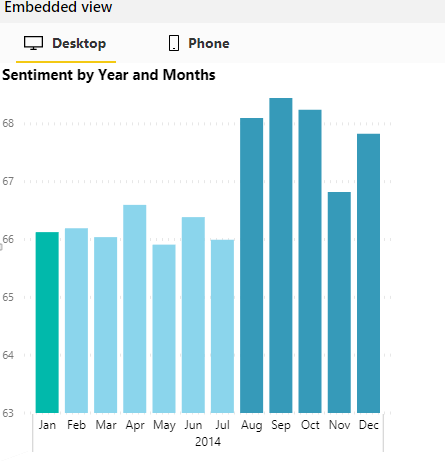
Example 1: 400px by 200px (Note the grey box, and the missing X-Axis)
Example 2: 400px by 400px
To recreate this you can use https://microsoft.github.io/PowerBI-JavaScript/demo/v2-demo/index.html , inspet the page and change the size of the iFrame. afterwards right click within the frame and select "reload frame"
Thanks for your help,
Tom
The Power BI Data Visualization World Championships is back! It's time to submit your entry.
| User | Count |
|---|---|
| 4 | |
| 3 | |
| 2 | |
| 1 | |
| 1 |
| User | Count |
|---|---|
| 5 | |
| 5 | |
| 4 | |
| 4 | |
| 3 |