This time we’re going bigger than ever. Fabric, Power BI, SQL, AI and more. We're covering it all. You won't want to miss it.
Learn moreDid you hear? There's a new SQL AI Developer certification (DP-800). Start preparing now and be one of the first to get certified. Register now
I am developing a client side webpart using PowerBI embedded feature using a Power BI Free Account. PowerBi embedded feature requires PBIX file to be uploaded in Microsoft Azure workspace.
When I schedule a data refresh for my dataset, the report gets refresh but the PBIX generated of particular dataset doesn't gets updated.
In order to display the refreshed data in my client side webpart, an updated PBIX file needs to be replaced with the older version of PBIX.
I am able to manually download PBIX file from PowerBI Service (https://app.powerbi.com/) using "Download Report (download a pbix copy)" from file menu and also able to import the PBIX file to Azure workspace.
But my issue is below:
1. How to programatically download PBIX file.
2. Is there any API published by Microsoft to export file from the PowerBI desktop.
Once we get the PBIX file programatically, we have the PowerBI-cli apis to import the PBIX to workspace.
svenaik, did you get a solution? i have the same problem.
There's no official API to download the pbix file. You can submit your idea at Power BI Ideas and vote it up.
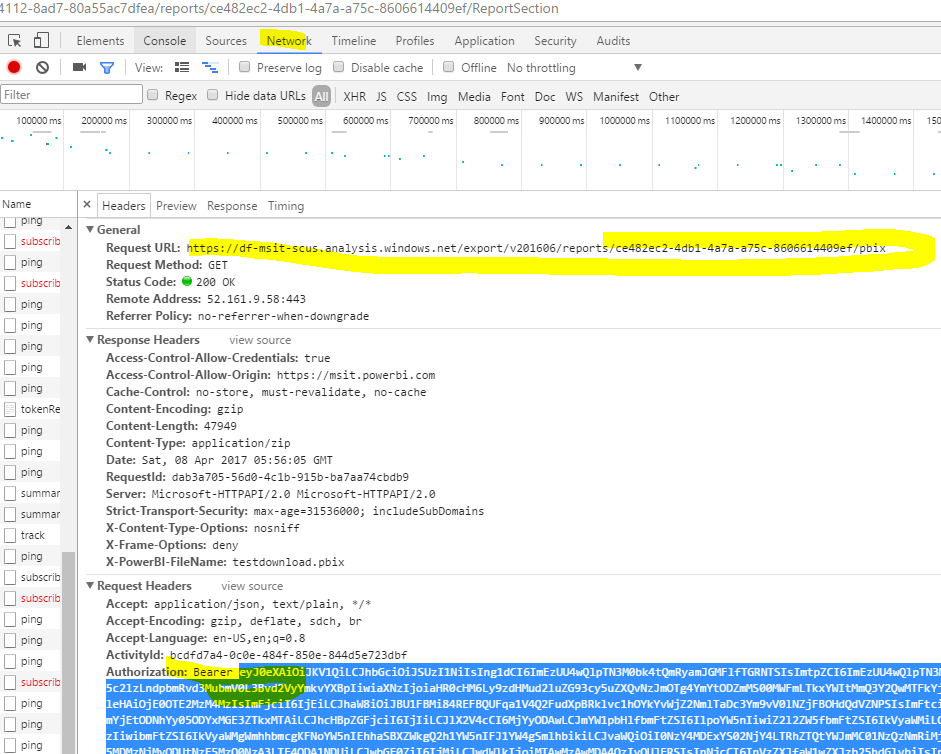
I also did some research, however I found it is a dead end. When downloading a pbix file, a GET request as below is actually called. I can re-do the GET request with the Bearer token in an API console like POSTMAN to download the pbix file, but the token would expire in one hour and a token generated from here can't access that request(401 error).
I am developing a client side webpart using PowerBI embedded feature using a Power BI Free Account. PowerBi embedded feature requires PBIX file to be uploaded in Microsoft Azure workspace.
When I schedule a data refresh for my dataset, the report gets refresh but the PBIX generated of particular dataset doesn't gets updated.
In order to display the refreshed data in my client side webpart, an updated PBIX file needs to be replaced with the older version of PBIX.
I am able to manually download PBIX file from PowerBI Service (https://app.powerbi.com/) using "Download Report (download a pbix copy)" from file menu and also able to import the PBIX file to Azure workspace.
But my issue is below:
1. How to programatically download PBIX file.
2. Is there any API published by Microsoft to export file from the PowerBI desktop.
Once we get the PBIX file programatically, we have the PowerBI-cli apis to import the PBIX to workspace.
Check out the April 2026 Power BI update to learn about new features.
Sign up to receive a private message when registration opens and key events begin.
If you have recently started exploring Fabric, we'd love to hear how it's going. Your feedback can help with product improvements.
| User | Count |
|---|---|
| 4 | |
| 2 | |
| 1 | |
| 1 | |
| 1 |