Join us at FabCon Atlanta from March 16 - 20, 2026, for the ultimate Fabric, Power BI, AI and SQL community-led event. Save $200 with code FABCOMM.
Register now!The Power BI Data Visualization World Championships is back! Get ahead of the game and start preparing now! Learn more
I've built a PowerApp and Power Automate solution to refresh tables using the enhanced refresh API. This all works well and I can retrive the the workspaces and datasets a user has access to to populate drop down lists within the PowerApp. However the user is required to type the names of the tables they would like to refresh.
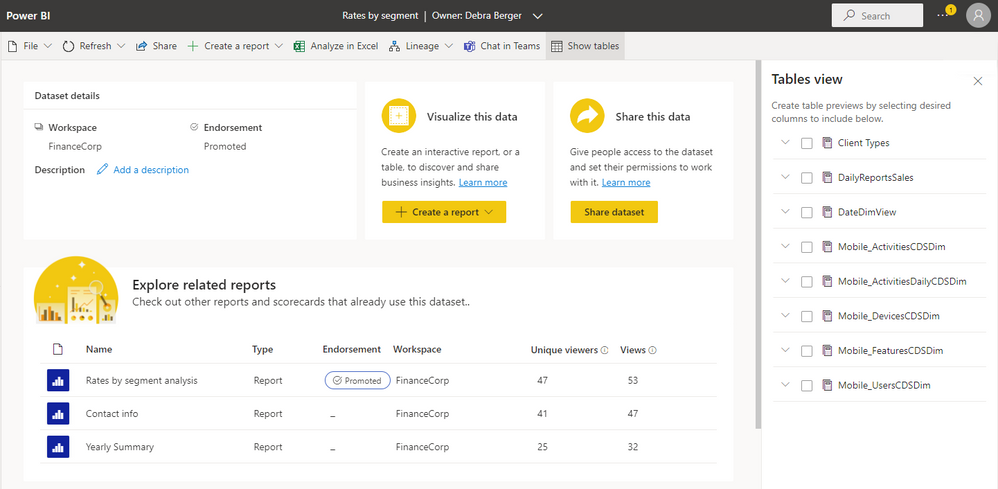
I've noticed on the details page of a dataset theres a Tables view panel, is there anyway to access this data via an API request?
Solved! Go to Solution.
Hi @mark_carlisle - I am sorry but think that Rest API can only excute DAX calls. The trying to run a SQL query against the DMV. It is possible to get this information using the Admin API. Announcing Scanner API (Admin REST APIs) enhancements to include dataset tables, columns, measures, ...
Hi @mark_carlisle - Yes
Using the Power BI Rest API Datasets - Execute Queries - REST API (Power BI Power BI REST APIs) | Microsoft Learn
There is also a Power Automate connector - Announcing general availability of the ExecuteQueries REST API | Microsoft Power BI Blog | Microsoft...
Could you expand on that?
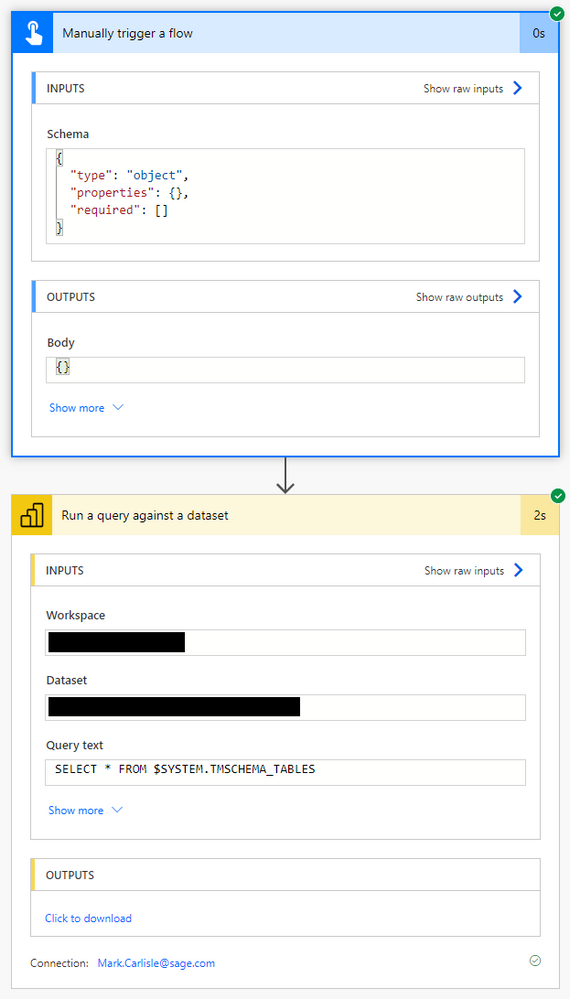
Tried the following Flow...
But got this response..
{"statusCode":200,"headers":{"Pragma":"no-cache","Transfer-Encoding":"chunked","Strict-Transport-Security":"max-age=31536000; includeSubDomains","X-Frame-Options":"deny","X-Content-Type-Options":"nosniff","RequestId":"6a78a184-b829-4804-af11-5d20a9563042","Access-Control-Expose-Headers":"RequestId","Timing-Allow-Origin":"*","x-ms-apihub-cached-response":"false","x-ms-apihub-obo":"false","Cache-Control":"no-store, must-revalidate, no-cache","Date":"Mon, 16 Jan 2023 08:10:02 GMT","Content-Type":"application/json","Content-Length":"149"},"body":{"results":[{"error":{"code":"DataExtensionError","message":null,"details":[{"code":"AnalysisServicesErrorCode","detail":{"type":"1","value":0}}]}}]}}
The Power BI Data Visualization World Championships is back! Get ahead of the game and start preparing now!
| User | Count |
|---|---|
| 4 | |
| 3 | |
| 2 | |
| 1 | |
| 1 |
| User | Count |
|---|---|
| 4 | |
| 4 | |
| 4 | |
| 3 | |
| 3 |