Join us at FabCon Atlanta from March 16 - 20, 2026, for the ultimate Fabric, Power BI, AI and SQL community-led event. Save $200 with code FABCOMM.
Register now!Get Fabric Certified for FREE during Fabric Data Days. Don't miss your chance! Request now
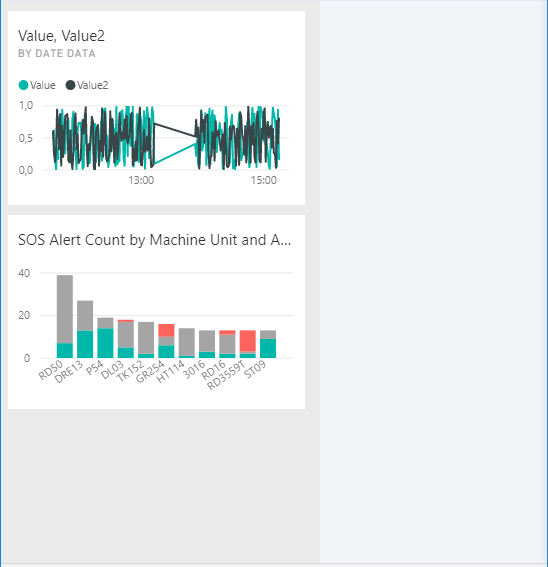
Guys, I am playing around with Power BI Embedded Dashboards, and one thing I have found that Dashboard actually has a switch to turn into mobile friednly view:
Check this:
This happens if the size of the Iframe less than 320px!!!
Can anybody from MSFT help on how to make it responsive not only for devices with width less than 320px?
Thanks
Nick
Solved! Go to Solution.
@nicksav wrote:
Guys, I am playing around with Power BI Embedded Dashboards, and one thing I have found that Dashboard actually has a switch to turn into mobile friednly view:
Check this:
This happens if the size of the Iframe less than 320px!!!
Can anybody from MSFT help on how to make it responsive not only for devices with width less than 320px?
Thanks
Nick
AFAIK, Embedded Power BI dashboards won't auto fit the resolution to have a mobile friendly layout. As a workaround, in Javascript code, you can detect the screen resolution and then determine whether embedding in "fitToWidth" or "oneColumn".
var config = {
type: 'dashboard',
tokenType: models.TokenType.Embed,
accessToken: accessToken,
embedUrl: embedUrl,
//pageView: "fitToWidth",
pageView: "oneColumn",
id: embedDashboardId
};
OneColumn(left) VS fitToWidth(right).
@nicksav wrote:
Guys, I am playing around with Power BI Embedded Dashboards, and one thing I have found that Dashboard actually has a switch to turn into mobile friednly view:
Check this:
This happens if the size of the Iframe less than 320px!!!
Can anybody from MSFT help on how to make it responsive not only for devices with width less than 320px?
Thanks
Nick
AFAIK, Embedded Power BI dashboards won't auto fit the resolution to have a mobile friendly layout. As a workaround, in Javascript code, you can detect the screen resolution and then determine whether embedding in "fitToWidth" or "oneColumn".
var config = {
type: 'dashboard',
tokenType: models.TokenType.Embed,
accessToken: accessToken,
embedUrl: embedUrl,
//pageView: "fitToWidth",
pageView: "oneColumn",
id: embedDashboardId
};
OneColumn(left) VS fitToWidth(right).
hello @Eric_Zhang
A question,
If OneColumn is determined by small screen resolution, who determines the position of the graphics? Does it do it automatically or do you have to design something in advance?
Check out the November 2025 Power BI update to learn about new features.
Advance your Data & AI career with 50 days of live learning, contests, hands-on challenges, study groups & certifications and more!