cancel
Showing results for 
Search instead for 
Did you mean: 

The Power BI Data Visualization World Championships is back! Get ahead of the game and start preparing now! Learn more

Reply
Parihar1980
Helper II
Helper II

Parameter and other option disabled while using tabular model

Hello Sir,

 I am working on Power BI Project where I am a creating Tabular model first and data loaded from SQL server and based on that data I am populating my Data model and through this I  am creating my report. 

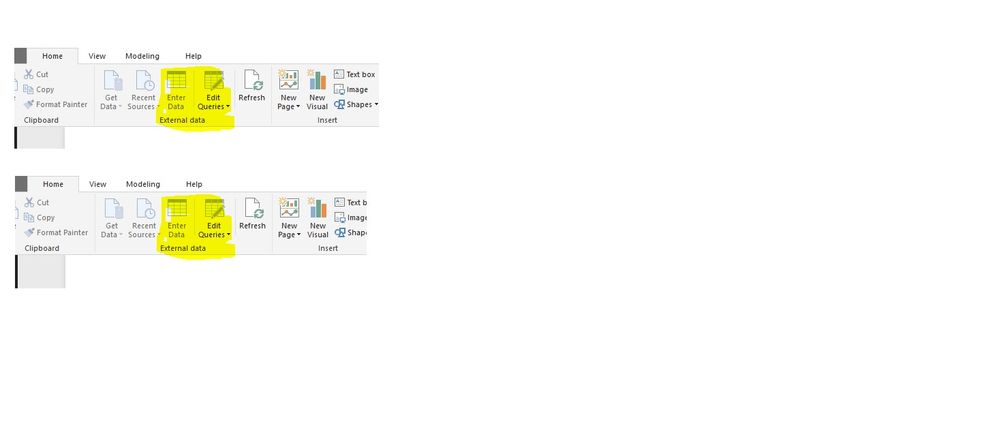
However when I am using live data model below are the option in HOME tab like"Parameters:, "edit queries", is the disabled same way in another tab "Modeling" (new column, new parameter) is disabled. 


Please let me know how can I make use of such option spacially Parameter using my existing approach.


Power BI Model.jpg

1 REPLY 1
v-micsh-msft
Microsoft Employee
Microsoft Employee

Data modeling is not supported for live connection.

Please check the thread below for more details about the difference:

Power BI – Live connection vs. Import, comparison and limitations


Regards,

Michael

Helpful resources

Announcements
Power BI DataViz World Championships

Power BI Dataviz World Championships

The Power BI Data Visualization World Championships is back! Get ahead of the game and start preparing now!

December 2025 Power BI Update Carousel

Power BI Monthly Update - December 2025

Check out the December 2025 Power BI Holiday Recap!

FabCon Atlanta 2026 carousel

FabCon Atlanta 2026

Join us at FabCon Atlanta, March 16-20, for the ultimate Fabric, Power BI, AI and SQL community-led event. Save $200 with code FABCOMM.