Hi,
We are developin a custom data connector to connec to through a custom WEB API to a SaaS application.
The Authentication type is similar to the github example i.e. OAuth2
XXX = [
     TestConnection = (dataSourcePath) => { "XXX.Contents" },
    Authentication = [
        OAuth = [
            StartLogin = StartLogin,
            FinishLogin = FinishLogin,
            Logout = Logout,
            Label = Extension.LoadString("AuthenticationLabel")
        ]
    ],
    Label = Extension.LoadString("DataSourceLabel"),
    SupportsEncryption = true
];
From Power BI Desktop everyting works fine.
These days we are moving to the Pro features where we publish the dataset and or reports that have been developed using data from our XXX connector (ONLY from this source).
We have downloaded and succesfully installed the latest version of the On Premises Gateway (not the personal one).
We have succesfsfully setup the connection, the datasource as shown in the figure below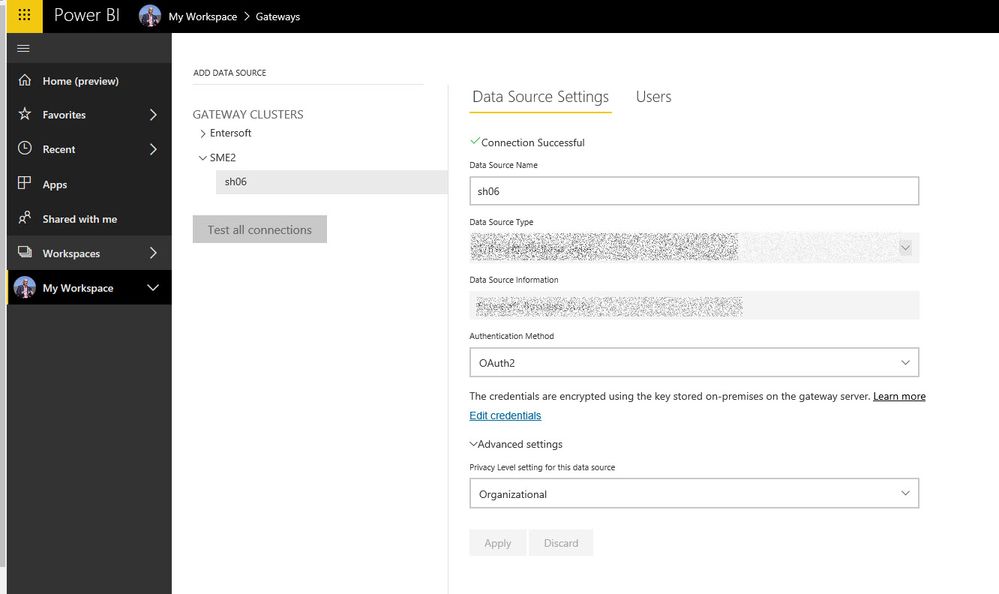
At the datasource part of the service we have the status as shown in the following screenshot:
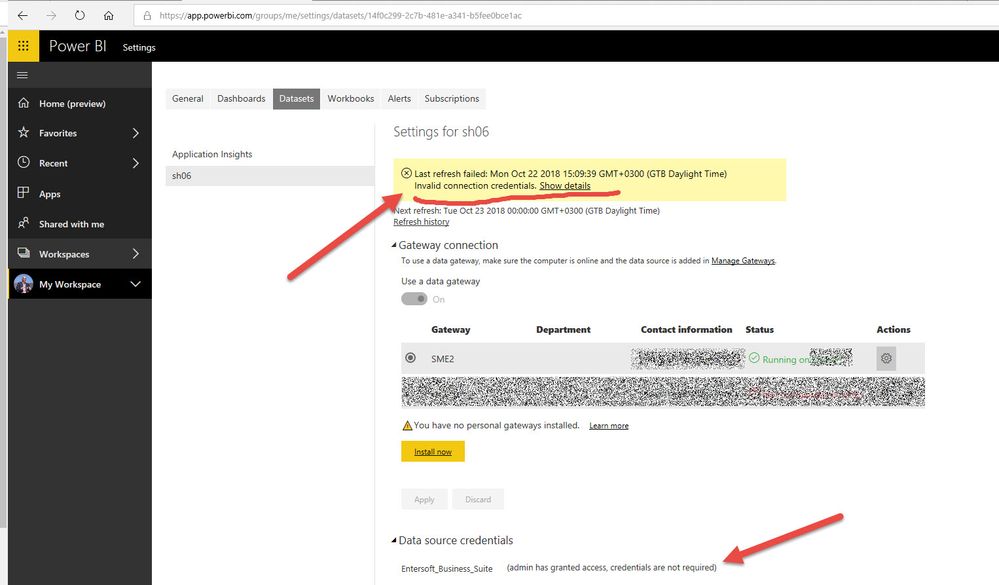
And the error we got from both refresh and scheduled refresh is the following:
At the custom connector code level all the calls to the api are using the access_token like in the example below:
WebAPI_GetTopLevelMenu = ()  =>
    let
        ebsCommand = "asset",
        params = Uri.BuildQueryString([routeId = "PBZ.json"]),
        skey = Extension.CurrentCredential()[access_token],
        url = Uri.Combine(apiURL, apiCommand) & "?" & params,
        wb = Web.Contents(url, [Headers = [#"Authorization" = "Bearer " & skey]]),
        tb = Text.FromBinary(wb),
        js = Json.Document(tb)
    in
        js;
Like I said, when running fvrom Power BI Desktop everything works fine (OAUTH sign in, execution of api cals leading to fetching data, etc.
Can someone please give me a direction on how to "debug" the error ?
Is it due to the gateway? due to the connector?
Regards,
Stavros


