Join us at FabCon Atlanta from March 16 - 20, 2026, for the ultimate Fabric, Power BI, AI and SQL community-led event. Save $200 with code FABCOMM.
Register now!The Power BI Data Visualization World Championships is back! Get ahead of the game and start preparing now! Learn more
Hi,
I'm not sure this is covered although I just voted on the idea to have time in the Y axis.
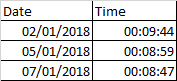
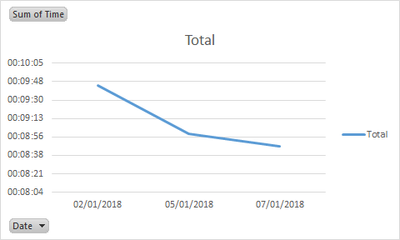
I want to initially set up a basic line graph that track my rowing time by date.
This is easily done in Excel, but would rather recreate in Power BI.
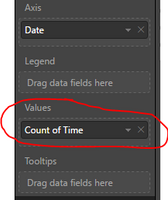
However on Power BI I can only show the values as Count:
Is there a way around this?
Thanks in advanced.
Jason
Solved! Go to Solution.
Alternatively, you may show time in seconds and drag time to Tooltips.
The Power BI Data Visualization World Championships is back! Get ahead of the game and start preparing now!
| User | Count |
|---|---|
| 2 | |
| 2 | |
| 1 | |
| 1 | |
| 1 |
| User | Count |
|---|---|
| 9 | |
| 6 | |
| 4 | |
| 4 | |
| 3 |