Get Fabric or SQL Certified for Free.
Get certified for free when you join Fabric Data Days 2026 and dive into Fabric, Power BI, SQL, AI, and other essential data skills.
Join now- Power BI forums
- Get Help with Power BI
- Desktop
- Service
- Report Server
- Power Query
- Mobile Apps
- Developer
- DAX Commands and Tips
- Custom Visuals Development Discussion
- Health and Life Sciences
- Power BI Spanish forums
- Translated Spanish Desktop
- Training and Consulting
- Instructor Led Training
- Dashboard in a Day for Women, by Women
- Galleries
- Data Stories Gallery
- Themes Gallery
- Contests Gallery
- QuickViz Gallery
- Quick Measures Gallery
- Visual Calculations Gallery
- Notebook Gallery
- Translytical Task Flow Gallery
- TMDL Gallery
- R Script Showcase
- Webinars and Video Gallery
- Ideas
- Custom Visuals Ideas (read-only)
- Issues
- Issues
- Events
- Upcoming Events
July 7 - July 17 | Round 2 of the Power BI Dataviz World Championships. Don't miss your chance! Learn more
- Power BI forums
- Forums
- Get Help with Power BI
- Developer
- Include vis.js in custom visual causes error
- Subscribe to RSS Feed
- Mark Topic as New
- Mark Topic as Read
- Float this Topic for Current User
- Bookmark
- Subscribe
- Printer Friendly Page

- Mark as New
- Bookmark
- Subscribe
- Mute
- Subscribe to RSS Feed
- Permalink
- Report Inappropriate Content
Include vis.js in custom visual causes error
Hi,
I created an empty custom visualization and added vis.js but as soon as I add the line
console.log(vis);
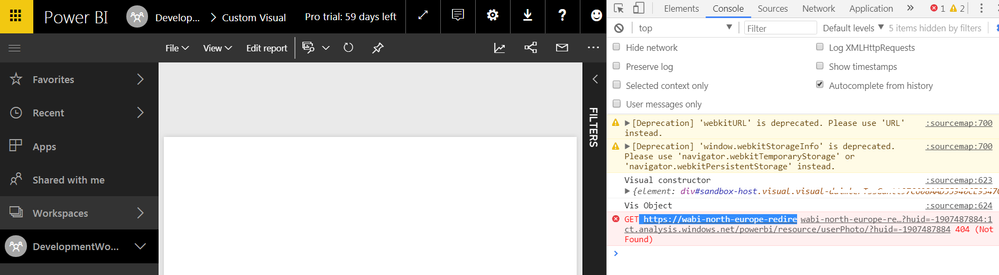
The visualization does not work. The vis objects causes an error.
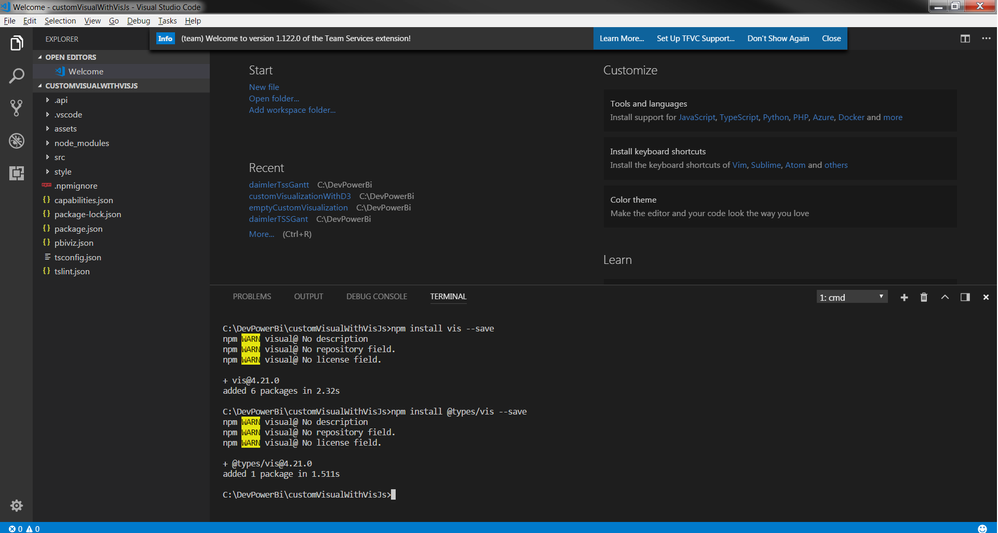
Created project and added vis.js
- pbiviz new visualizationWithVis
- npm install vis --save
- npm install @types/vis --save
tsconfig.json:

Solved! Go to Solution.


- Mark as New
- Bookmark
- Subscribe
- Mute
- Subscribe to RSS Feed
- Permalink
- Report Inappropriate Content
Please follow these steps to make vis.js working:
- Create a new JS file in src folder
- Put the folllowing code in the new JS file
var vis = window.vis || window.window.vis;
Include the new file into externalJs property of pbiviz.json right after node_modules/vis/dist/vis.js.
Ignat Vilesov,
Software Engineer
Microsoft Power BI Custom Visuals

- Mark as New
- Bookmark
- Subscribe
- Mute
- Subscribe to RSS Feed
- Permalink
- Report Inappropriate Content
I want to call the nivo react chart library in the powerbi react visual. I also have seen the documentation. there, they said, you can't call the external js file in the powerbi api 3.0. or above. Any of the way to use react chart library with the latest powerbi library. Thanks
- Mark as New
- Bookmark
- Subscribe
- Mute
- Subscribe to RSS Feed
- Permalink
- Report Inappropriate Content
Looks like vis doesn't exist in the root scope.
Could you please share vis.min.js or entire project for futher debugging?
Ignat Vilesov,
Software Engineer
Microsoft Power BI Custom Visuals
- Mark as New
- Bookmark
- Subscribe
- Mute
- Subscribe to RSS Feed
- Permalink
- Report Inappropriate Content
Hello Ignat,
please find below the project in a zip file (I created it with npm, pbiviz new ... ).
Thank you for you support.
Kind regards
Thomas
Edit:
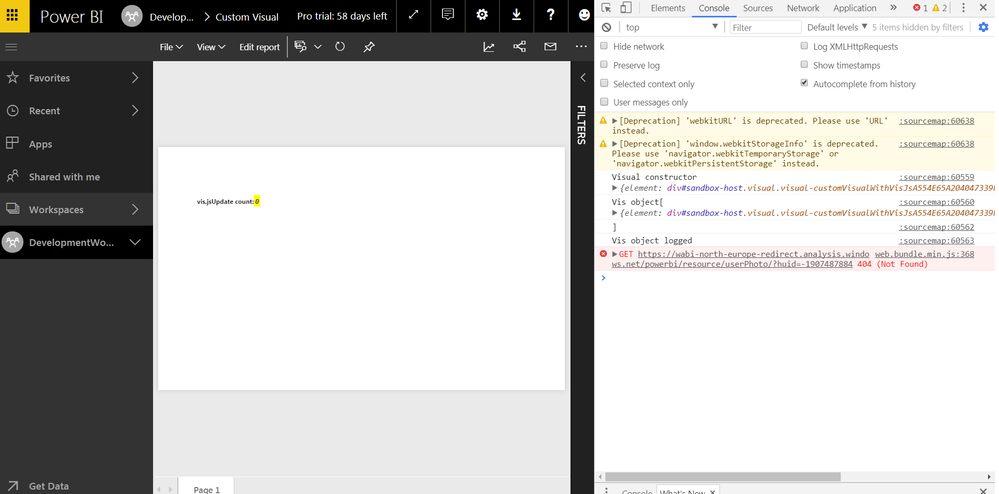
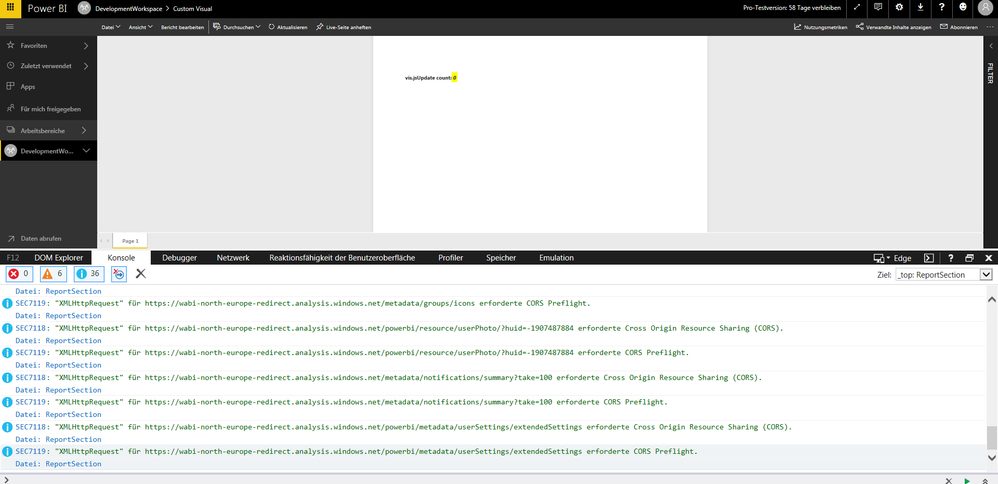
The first Screenshot is from Chrome
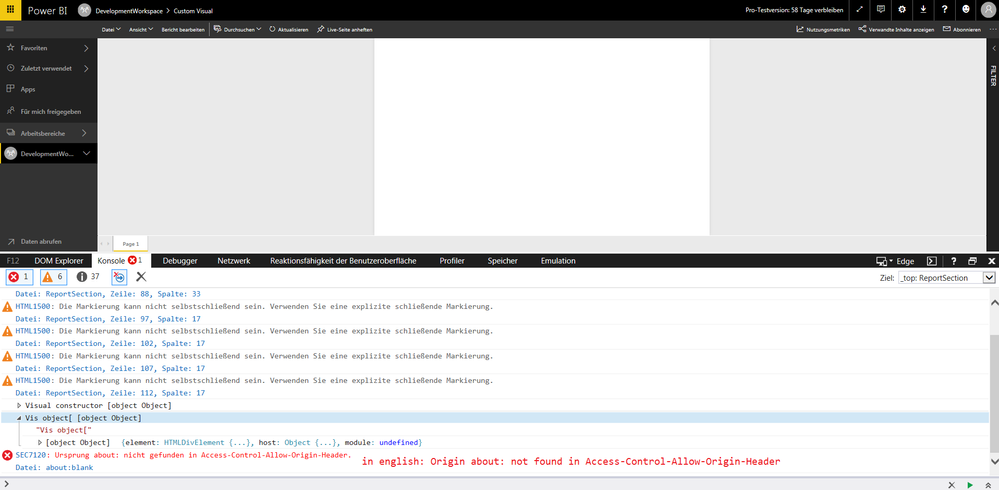
The last two are from Internet Explorer (dev tools looks different)
Project:
https://1drv.ms/f/s!AvUXU0wyp-zVoBOkkbzo42Sv8YbG


- Mark as New
- Bookmark
- Subscribe
- Mute
- Subscribe to RSS Feed
- Permalink
- Report Inappropriate Content
You may use a similar way mentioned in this thread.
If this post helps, then please consider Accept it as the solution to help the other members find it more quickly.
- Mark as New
- Bookmark
- Subscribe
- Mute
- Subscribe to RSS Feed
- Permalink
- Report Inappropriate Content
Hello Ignat,
either the d3 v4 approach does not work with vis.js or I don’t understand it.
I added a separate file: initVendorLibraries.js (included it in pbiviz after the vis library) with the code:
var vis = window.vis;
but it did not work. The object is still undefined.
According to https://github.com/almende/vis/blob/master/package.json vis contains other libraries (which are also visible under node_modules in my project):
"emitter-component": "^1.1.1",
"moment": "^2.18.1",
"propagating-hammerjs": "^1.4.6",
"hammerjs": "^2.0.8",
"keycharm": "^0.2.0"
do I have to use the approach on the other libraries as well?
Is there a Power BI visual that included already vis.js successfully? If yes, do you have a link?
Kind regards
- Mark as New
- Bookmark
- Subscribe
- Mute
- Subscribe to RSS Feed
- Permalink
- Report Inappropriate Content
Make sure you've restarted the server.
If this post helps, then please consider Accept it as the solution to help the other members find it more quickly.
- Mark as New
- Bookmark
- Subscribe
- Mute
- Subscribe to RSS Feed
- Permalink
- Report Inappropriate Content
Please follow these steps to make vis.js working:
- Create a new JS file in src folder
- Put the folllowing code in the new JS file
var vis = window.vis || window.window.vis;
Include the new file into externalJs property of pbiviz.json right after node_modules/vis/dist/vis.js.
Ignat Vilesov,
Software Engineer
Microsoft Power BI Custom Visuals
Helpful resources

FabCon & SQLCon – Barcelona 2026
Join us in Barcelona for FabCon and SQLCon, the Fabric, Power BI, SQL, and AI community event. Save €200 with code FABCMTY200.

Data Days 2026
Join Fabric Data Days 2026: 60 days of free live/on-demand sessions, challenges, study groups, and certification opportunities.

Power BI DataViz World Championships - June 2026
A new Power BI DataViz World Championship is coming this June! Don't miss out on submitting your entry.


| User | Count |
|---|---|
| 5 | |
| 3 | |
| 2 | |
| 2 | |
| 2 |


