
cancel
Showing results for 
Search instead for 
Did you mean: 

Data Days is here! Join us now for 60+ days of learning, challenges, and connection. Learn more

Reply
Rahul_SC
Helper IV
Helper IV

How to hide visual heading options

Hi all,


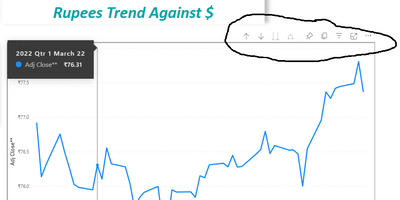
Is it possible to hide these options which appear while selecting Power BI visuals ?


Rahul_SC_1-1685031453071.png


2 REPLIES 2
Anonymous
Not applicable

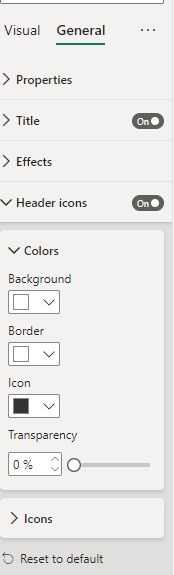
Select the visual -> Go to general -> Turn the header icons button off. Also please keep in mind that the changes will reflect only after the report is on power BI service.
solution.png

lbendlin
Super User
Super User

lbendlin_1-1685152986102.png

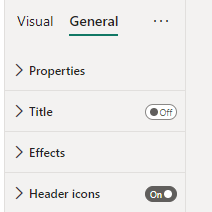
under Current File... Report Settings. Or do it individually for each visual


lbendlin_2-1685153071980.png


Note this will only take effect once uploaded to the service.


Helpful resources

Announcements
Fabric Data Days is here Carousel

Fabric Data Days 2026

Don't miss out on Data Days, June 15 through August 7. Learn Fabric, Power BI, SQL, AI and more.

May Power BI Update Carousel

Power BI Monthly Update - May 2026

Check out the May 2026 Power BI update to learn about new features.

Power BI DataViz World Championships carousel

Power BI DataViz World Championships - June 2026

A new Power BI DataViz World Championship is coming this June! Don't miss out on submitting your entry.

Top Kudoed Authors