This time we’re going bigger than ever. Fabric, Power BI, SQL, AI and more. We're covering it all. You won't want to miss it.
Learn moreDid you hear? There's a new SQL AI Developer certification (DP-800). Start preparing now and be one of the first to get certified. Register now
Hi All,
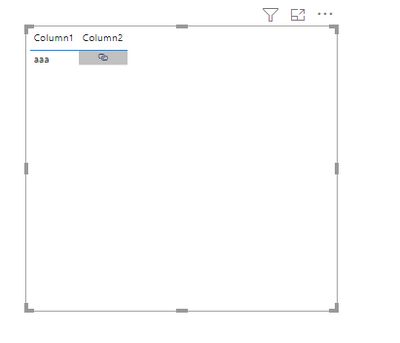
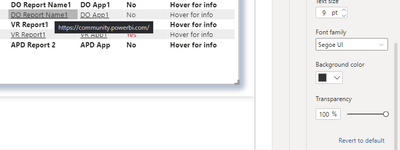
I have a table visual with a column having Web URL assigned to title column. I want to hide the URL text appearing over the hover at cell values. Please refer the below image for refering to the issues:-
Please help me out with the same.
Solved! Go to Solution.
Hi @Diksha12 ,
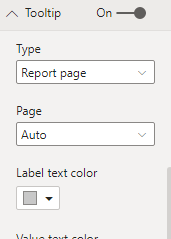
Turn on Tooltip and set transparency.
Best Regards,
Liang
If this post helps, then please consider Accept it as the solution to help the other members find it more quickly.
This doesn't work. It works to hide othe columns, but not hyperlinks.
Hi @Diksha12 ,
Turn on Tooltip and set transparency.
Best Regards,
Liang
If this post helps, then please consider Accept it as the solution to help the other members find it more quickly.
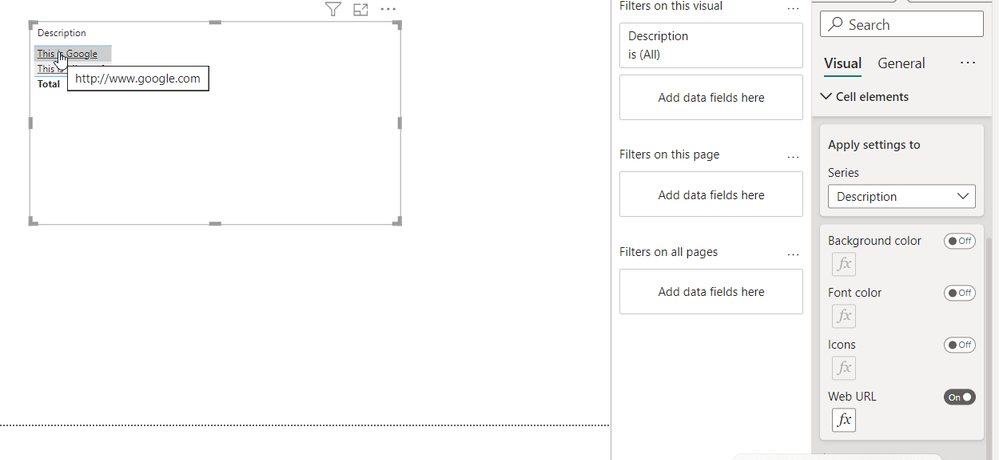
This does not help if you add a Web URL to a column but works for the hyperlink column. Is there any way for the Web URL?
I am also facing the same issue, especially since i have another tooltip that i want to be shown when hovering over the column, but the link tooltip appearing is blocking it, which is very annoying.
I'm wondering if there is a way to disable only this link tooltip from popping up when hovering over a link.
This is exactly what I am looking ofr. Were you able to find anything?
Check out the April 2026 Power BI update to learn about new features.
Sign up to receive a private message when registration opens and key events begin.
If you have recently started exploring Fabric, we'd love to hear how it's going. Your feedback can help with product improvements.