Dear Community,
I've been working with Power Bi for at least 4 months now, but I'm still kind of new to it. I developed a custom connector for a databased called ClickHouse (https://clickhouse.yandex/). The connector works, but wanted to ask a few things about the whole subjetc:
1. Is it possible to create a GUI for a custom connector? I'm referring to the kind that appears when selecting any of the connectors included in Power BI, because I only have this:
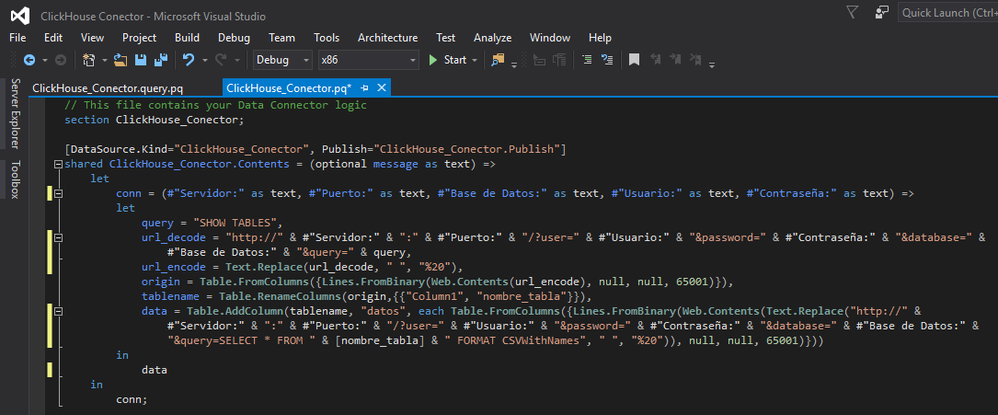
Which opens Power Query with a form to input the values for the connection. But what I really want is a GUI the one in the connector for MySQL, because I want to be able to do the navigation and select the database tables to load. Currently I don't know how to achieve this.
2. Is there a type for password input? As can be seen in the previous image, the last parameter "Contraseña" which means password in spanish is set as text. This causes that in the form that opens in Power Query when executing the connector, this parameter is not hidden with the characteristic black dots, and that suppouses a security concern.
3. How do I change the default image for the connector? Because, I changed all of them (every size) with a corresponding image of the ClickHouse database logo, but after rebuilding the connector and test it, the logo didn't appear.
Any tips, tricks, workarounds or actual solutions regarding these issues will be much appreciated.
Hope I hear some feedback soon.
Greetings from Venezuela.


