cancel
Showing results for 
Search instead for 
Did you mean: 

Learn from the best! Meet the four finalists headed to the FINALS of the Power BI Dataviz World Championships! Register now

Reply
Ptiwari
Regular Visitor

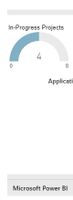
Embedded html code displays grey bars

Hi Everybody,


How do I get rid of those gray bars, which show up when I copy-paste embedded html code from PowerBI report into my web page? Is there any way to hide the Microsoft Power BI text as well from the footer?


Thanks


2018-07-24_13-37-33.jpg

2 REPLIES 2
v-jiascu-msft
Microsoft Employee
Microsoft Employee

Hi @Ptiwari,


Seems you were using the Publish to web feature. I don't think it's proper to remove the logo of Power BI. I would suggest you use Power BI Embedding instead.


Best Regards,

Dale

Community Support Team _ Dale
If this post helps, then please consider Accept it as the solution to help the other members find it more quickly.

Hi Dale,


Thank you for the response. Yes I am using publish to web feature. 


I will try Power BI Embed feature today and update you the solution.


Thank you, Pooja

Helpful resources

Announcements
Power BI DataViz World Championships carousel

Power BI DataViz World Championships - June 2026

A new Power BI DataViz World Championship is coming this June! Don't miss out on submitting your entry.

Join our Fabric User Panel

Join our Fabric User Panel

Share feedback directly with Fabric product managers, participate in targeted research studies and influence the Fabric roadmap.

March Power BI Update Carousel

Power BI Community Update - March 2026

Check out the March 2026 Power BI update to learn about new features.