Hi All,
I am hoping someone can help me out with this. I feel like I am close but just not getting the results I need.
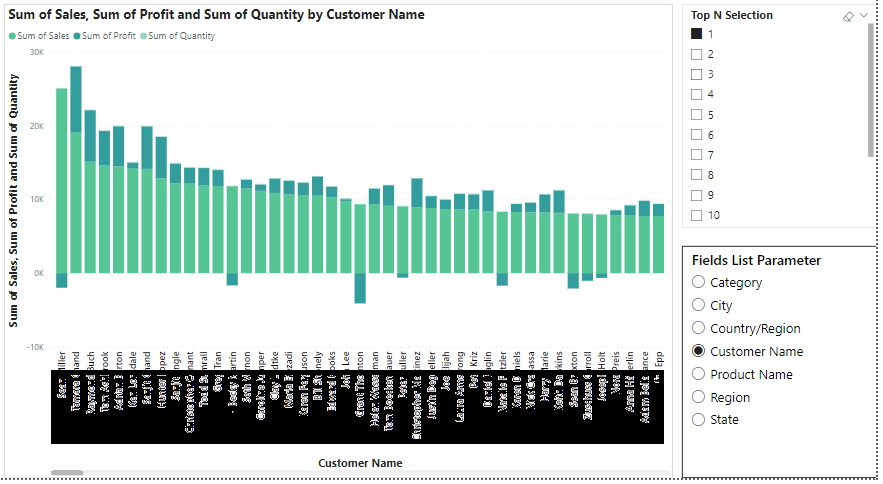
We have different Dimension Field List parameters (Dynamic slicer) which should be compared for different dimensions in X-axis. I am able to show the values for slicer selections like sales, profit and quantity. But need solution to show only top 10 and bottom 10 of customers when filtering for all the different field list parameters (Slicer values) which I am not able to achieve.
Here is the screenshot below attached, kindly help me.
Scenario-1:
If I select City in the slicer, X-axis should display, top 10 Cities based on the Y-axis (Sales, Profit,Quantity)
Scenarion-2:
If I select "Customer Name" in the slicer, X-axis should display, top 10 Customers based on the Y-axis (Sales, Profit,Quantity)
Thanks & Regards
Venkat T