cancel
Showing results for 
Search instead for 
Did you mean: 

Learn from the best! Meet the four finalists headed to the FINALS of the Power BI Dataviz World Championships! Register now

Reply
Anonymous
Not applicable

Display Month wise report

Hello,


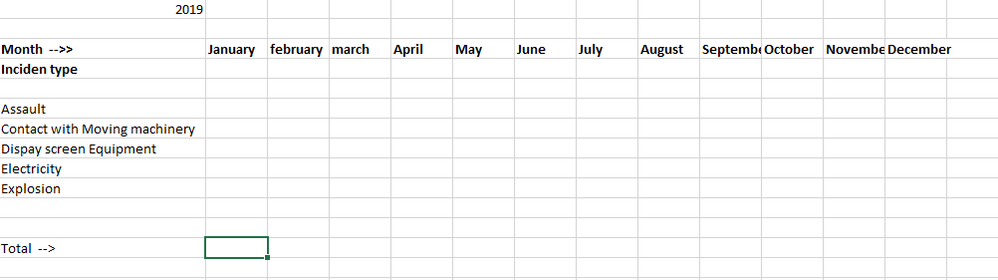
I would like to display records in Report like below. I have created the Date dimension table. How should I display below data in report?

Report month.png

1 REPLY 1
v-evelk
Microsoft Employee
Microsoft Employee

Hello,


Looks like a matrix visual may be suitable for you case if you put "Month" field into "Columns" bucket and "Incident type" into "Rows" bucket then you need only put value field into "Values" bucket.


Kind Regards,


Evgenii Elkin,
Software Engineer
Microsoft Power BI Custom Visuals
pbicvsupport@microsoft.com

Helpful resources

Announcements
Join our Fabric User Panel

Join our Fabric User Panel

Share feedback directly with Fabric product managers, participate in targeted research studies and influence the Fabric roadmap.

February Power BI Update Carousel

Power BI Monthly Update - February 2026

Check out the February 2026 Power BI update to learn about new features.

FabCon Atlanta 2026 carousel

FabCon Atlanta 2026

Join us at FabCon Atlanta, March 16-20, for the ultimate Fabric, Power BI, AI and SQL community-led event. Save $200 with code FABCOMM.