cancel
Showing results for 
Search instead for 
Did you mean: 

Try your skills in the Power BI Dataviz World Championship! Round one ends June 26. Join now

Reply
Anonymous
Not applicable

Disable slicer

In my report I want to disable a slicer and I don't know how to do it. I saw this post

This is because I have to create a comparison between 2 bunches of graphs and the user can't change the slider (for now).


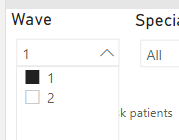
For example, I want to have the Wave slider fix to 1.


erossini_0-1635934031308.png


1 ACCEPTED SOLUTION
Anonymous
Not applicable

Hi @Anonymous,

I'm not so sure about the 'disable' means, can you please explain more about this? Did you mean the hide the visual or turn off the interactions?

#1, You can use bookmark or sync slicer options to hide the slicer:

Create report bookmarks in Power BI to share insights and build stories - Power BI | Microsoft Docs

Slicers in Power BI - Power BI | Microsoft Docs

#2, You can turn on the 'edit interactions' layout to accurately control the visual interactions:

Change how visuals interact in a report - Power BI | Microsoft Docs
Regards,

Xiaoxin Sheng

View solution in original post

2 REPLIES 2
Anonymous
Not applicable

Hi @Anonymous,

I'm not so sure about the 'disable' means, can you please explain more about this? Did you mean the hide the visual or turn off the interactions?

#1, You can use bookmark or sync slicer options to hide the slicer:

Create report bookmarks in Power BI to share insights and build stories - Power BI | Microsoft Docs

Slicers in Power BI - Power BI | Microsoft Docs

#2, You can turn on the 'edit interactions' layout to accurately control the visual interactions:

Change how visuals interact in a report - Power BI | Microsoft Docs
Regards,

Xiaoxin Sheng

lbendlin
Super User
Super User

after you set the slicer you can hide it.  But don't forget about it - hidden slicers are the primary source of confusion both for users and for developers that forgot about them...

Helpful resources

Announcements
Fabric Data Days is here Carousel

Data Days 2026

Don't miss out on Data Days, June 15 through August 7. Learn Fabric, Power BI, SQL, AI and more.

Power BI DataViz World Championships carousel

Power BI DataViz World Championships - June 2026

A new Power BI DataViz World Championship is coming this June! Don't miss out on submitting your entry.