cancel
Showing results for 
Search instead for 
Did you mean: 

July 7 - July 17 | Round 2 of the Power BI Dataviz World Championships. Don't miss your chance! Learn more

Reply
kso4656
Regular Visitor

(DashBoard) memory issue

Hello


We are developers who process and show data through power bi.

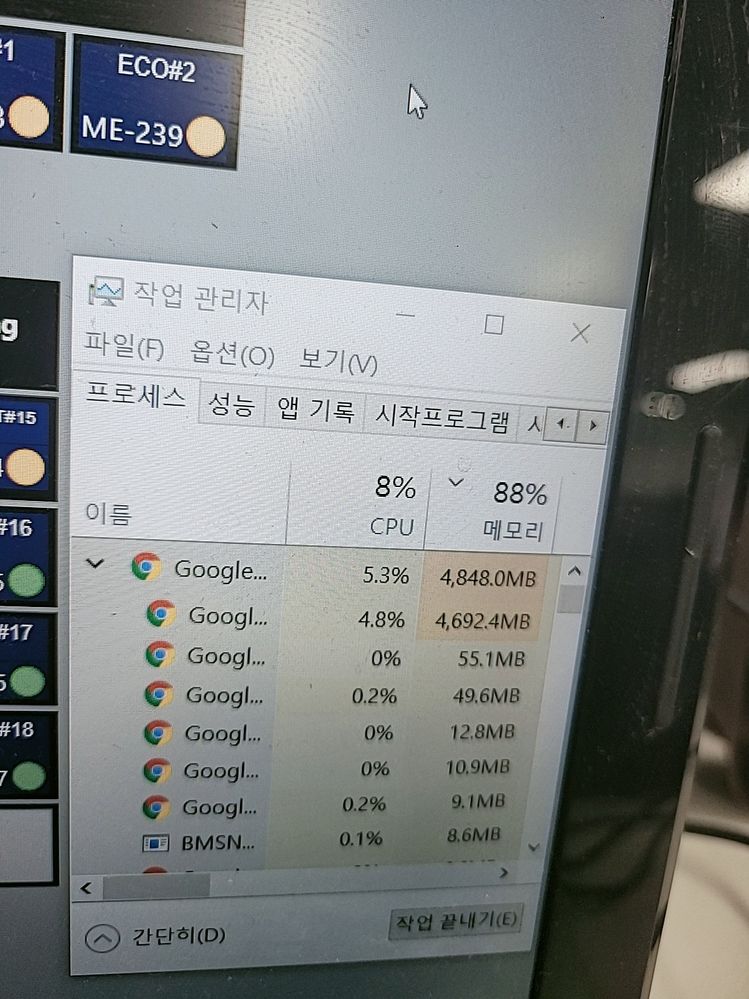
When using dashboards with push datasets, the Web browser has too high memory sharing.

This program takes up too much memory on your computer.

Therefore, the dashboard does not work.


The first time you turn on the web browser, the memory is stable.

However, leaving the program(PowerBI DashBoard) turned on will accumulate in memory.

Eventually, memory shares exceed 90%.

How do I solve this problem?


Thank you for reading this question.

Sang-Won KimKakaoTalk_20210607_105613817.jpg

1 ACCEPTED SOLUTION
Anonymous
Not applicable

Hi @kso4656 ,

First you need to analyze which content from the pin to the dashboard consumes more memory, then check if they can be processed or optimized. In addition, check if you can make some optimizations to the data source, such as changing the connection mode(change Import mode to Direct Query), removing some unnecessary columns, optimizing the writing of some measures and so on. You can refer the content in the following links to get it.

Analyse your memory consumption in Power BI

Building Power BI Memory Usage Dashboard using DMV

Are Your Power BI Performance Issues Due To High Memory Consumption?

Analyze memory usage in Power BI to improve performance

Optimization guide for Power BI

Best Regards

View solution in original post

1 REPLY 1
Anonymous
Not applicable

Hi @kso4656 ,

First you need to analyze which content from the pin to the dashboard consumes more memory, then check if they can be processed or optimized. In addition, check if you can make some optimizations to the data source, such as changing the connection mode(change Import mode to Direct Query), removing some unnecessary columns, optimizing the writing of some measures and so on. You can refer the content in the following links to get it.

Analyse your memory consumption in Power BI

Building Power BI Memory Usage Dashboard using DMV

Are Your Power BI Performance Issues Due To High Memory Consumption?

Analyze memory usage in Power BI to improve performance

Optimization guide for Power BI

Best Regards

Helpful resources

Announcements
FabCon and SQLCon Barcelona 2026

FabCon & SQLCon – Barcelona 2026

Join us in Barcelona for FabCon and SQLCon, the Fabric, Power BI, SQL, and AI community event. Save €200 with code FABCMTY200.

60 days of Data Days Carousel

Data Days 2026

Join Fabric Data Days 2026: 60 days of free live/on-demand sessions, challenges, study groups, and certification opportunities.

Power BI DataViz World Championships carousel

Power BI DataViz World Championships - June 2026

A new Power BI DataViz World Championship is coming this June! Don't miss out on submitting your entry.

Top Solution Authors