Join us at FabCon Atlanta from March 16 - 20, 2026, for the ultimate Fabric, Power BI, AI and SQL community-led event. Save $200 with code FABCOMM.
Register now!Get Fabric Certified for FREE during Fabric Data Days. Don't miss your chance! Request now
Hi
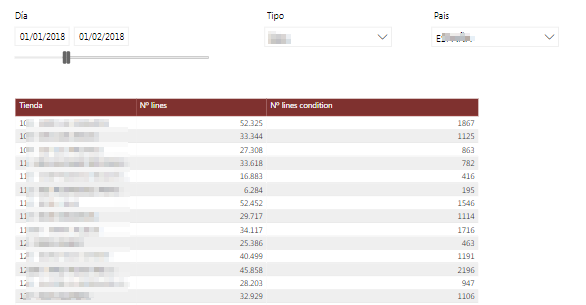
I have one report with 3 visual filters (date, country and type) and a table that list the stores and number of operatios with the aplied filters. I added a column with the number of operations that meet a condition, but this measure is very slow.
Here the measure:
Nº operations with conditions = CALCULATE('OPERACIONES'[Nº lines];
FILTER('OPERACIONES';'OPERACIONES'[id_type_sale] = 4 ||
'OPERACIONES'[id_type_sale] = 5 ||
( 'OPERACIONES'[line_sin_origen]=1
|| 'OPERACIONES'[line_fuera_plazo]=1
|| 'OPERACIONES'[line_manual]=1)
))
I think that it is slow because the FILTER function is filtering all data in the table (this table has billions of records)
How can I improve this measure?
Thanks!
Check out the November 2025 Power BI update to learn about new features.
Advance your Data & AI career with 50 days of live learning, contests, hands-on challenges, study groups & certifications and more!
| User | Count |
|---|---|
| 4 | |
| 2 | |
| 2 | |
| 1 | |
| 1 |
| User | Count |
|---|---|
| 10 | |
| 10 | |
| 4 | |
| 3 | |
| 3 |