Get certified for free when you join Fabric Data Days 2026 and dive into Fabric, Power BI, SQL, AI, and other essential data skills.
Join nowJuly 7 - July 17 | Round 2 of the Power BI Dataviz World Championships. Don't miss your chance! Learn more
Hi everyone.
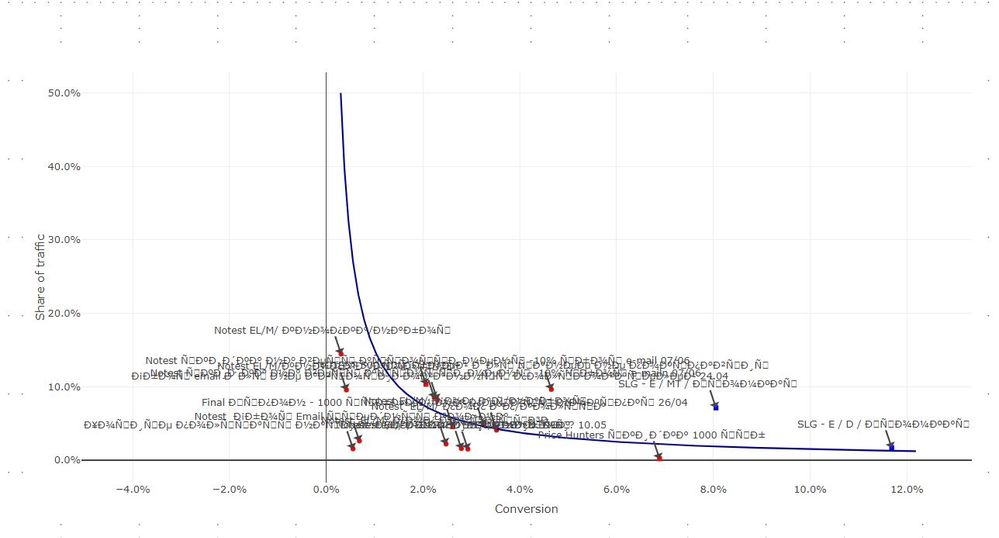
I have created a custom visual using R. It works fine but it does not show cyrillic characteres properly. I've tried adding "Sys.setlocale("LC_CTYPE", "russian")" to the code in script.r but unfortunately it does not help. I have cyrillic characters both in my data and my code (adding axis labels in Russian).
Is there any way to fix this?
We'll discuss this issue with R-script developers and get back with an answer.
Ignat Vilesov,
Software Engineer
Microsoft Power BI Custom Visuals
We've got details for R devs.
If seems you have to explicitly use a font that supports Cyrillic characters.
If you're in Power BI Desktop you have to choose the appropriate font and use par(family = powerbi_rFamilyFontName) as in service.
If you're in Power BI Service, you have to override powerbi_rFamilyFontName to be the font name and r_powerbiFontName to be the font file name (as font name with .ttf extension).
Please let us know if this solution solves the issue.
Ignat Vilesov,
Software Engineer
Microsoft Power BI Custom Visuals
@v-viig, thank you very much for your reply.
I did not understand how and where I should specify the font. Could you give an example or more detailed instructions?
We'd recommend to contact [email protected] to get this issue resolved.
Ignat Vilesov,
Software Engineer
Microsoft Power BI Custom Visuals
Join us in Barcelona for FabCon and SQLCon, the Fabric, Power BI, SQL, and AI community event. Save €200 with code FABCMTY200.
Join Fabric Data Days 2026: 60 days of free live/on-demand sessions, challenges, study groups, and certification opportunities.
| User | Count |
|---|---|
| 4 | |
| 3 | |
| 2 | |
| 2 | |
| 2 |