Hello,
I wanted to share with you a solution on how you could change a connection (SQL Server Database in my case) from import/dual to direct query in a report with no need to recreate tables, measures, relationships and such.
First of all, kudos to radacad (https://radacad.com/exposing-m-code-and-query-metadata-of-power-bi-pbix-file) from where I got an insight on exploring a pbix file. Apart from that I have devised this way myself so sorry if I repated someone's post. I couldn't find anything useful online for my case.
Instructions:
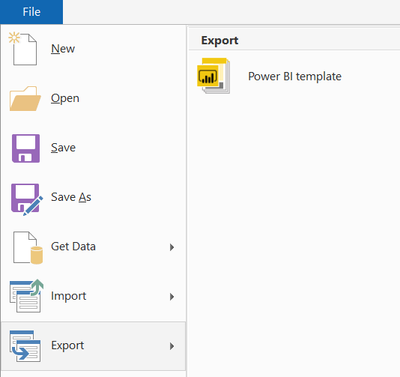
1) Export your pbix report to a template (it will save all features and visuals of your report so don't worry). You will get a pbit file.
2) Change the pbit file extension to zip.
3) From an archive pull out two files: DataMashup, DataModelSchema.
4) Edit the DataMashup file (I used Notepad++) and replace a string "IsDirectQuery" Value="l0" with "IsDirectQuery" Value="l1" for all desired tables/queries.
Example:
</Item><Item><ItemLocation><ItemType>Formula</ItemType><ItemPath>Section1/Product</ItemPath></ItemLocation><StableEntries><Entry Type="IsPrivate" Value="l0" /><Entry Type="IsDirectQuery" Value="l0" /><Entry Type="NavigationStepName" Value="sNavigation"
5) Edit the DataModelScgema file. Replace a string "mode": "import" or "mode": "dual" with "mode": "directQuery" for all desired tables/queries (should be aligned with tables/queries from the fourth point).
Example :
"partitions": [
{
"name": "Product-17398375-891d-4c0f-bc87-a201e584788f",
"mode": "directQuery",
"state": "ready",
6) Overwirte both files in the zip file with edited ones and change the extension of the zip file back to pbit.
7) Open the pbit file. Deny if asked to apply changes. Go to Edit queries and press Refresh all.
😎 Exit the Edit queries window and save your file as a pbix report.
9) Press Refresh in a main window.
You should have all desired tables/queries switched to Direct Query preserving measures and relationships.
I hope you would be as successfull as I was.
Regards,
Radoslaw Hagno


