Get certified for free when you join Fabric Data Days 2026 and dive into Fabric, Power BI, SQL, AI, and other essential data skills.
Join nowTry your skills in the Power BI Dataviz World Championship! Round one ends June 26. Join now
Hello,
I use the api : Groups GetGroupsAsAdmin with a Synapse pipeline to retrieve and store data.
However, I can't get the description of the datasets and reports, even though the documentation says that we can get them.
Documentation : https://learn.microsoft.com/en-us/rest/api/power-bi/admin/groups-get-groups-as-admin
Anyone know why?
Solved! Go to Solution.
Hi @Charline_74 ,
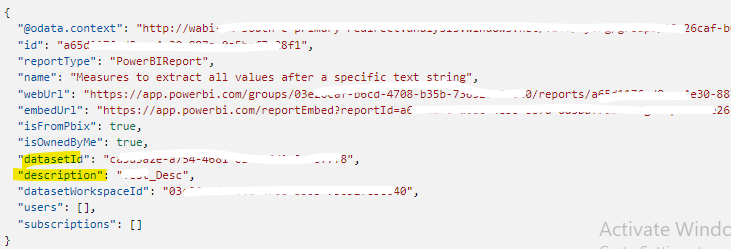
You can only get a description of the workspace level using the current API, you can't get a description of the report or the dataset. If you want to get the report and dataset description, you can use the following two REST API.
Reports - Get Report In Group - REST API (Power BI Power BI REST APIs) | Microsoft Learn
GET https://api.powerbi.com/v1.0/myorg/groups/{groupId}/reports/{reportId}
Datasets - Get Dataset In Group - REST API (Power BI Power BI REST APIs) | Microsoft Learn
GET https://api.powerbi.com/v1.0/myorg/groups/{groupId}/datasets/{datasetId}
Best Regards
Hi @Charline_74 ,
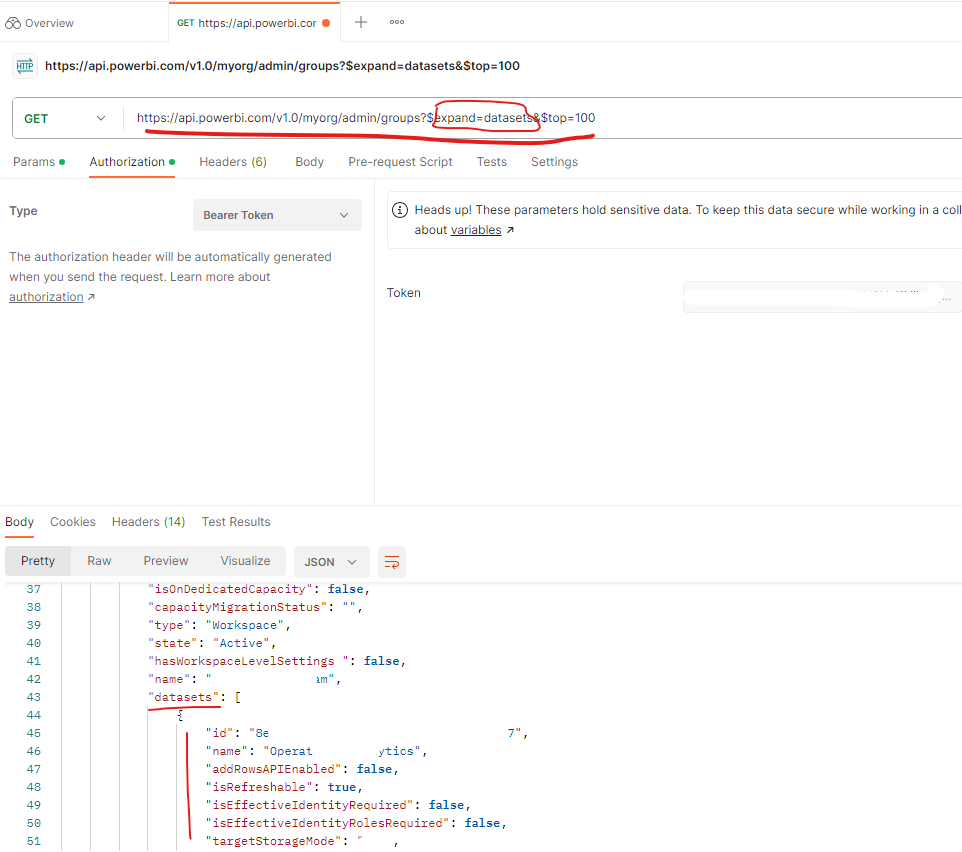
Which REST API request you are trying to call? Did you expand to dataset level? Please call the request below to get it:
GET https://api.powerbi.com/v1.0/myorg/admin/groups?$expand=datasets&$top=100
Best Regards
Hi @Anonymous,
Yes, I use the API with an expand dataset. I do get information about my dataset, but not the description.
Hi @Charline_74 ,
You can only get a description of the workspace level using the current API, you can't get a description of the report or the dataset. If you want to get the report and dataset description, you can use the following two REST API.
Reports - Get Report In Group - REST API (Power BI Power BI REST APIs) | Microsoft Learn
GET https://api.powerbi.com/v1.0/myorg/groups/{groupId}/reports/{reportId}
Datasets - Get Dataset In Group - REST API (Power BI Power BI REST APIs) | Microsoft Learn
GET https://api.powerbi.com/v1.0/myorg/groups/{groupId}/datasets/{datasetId}
Best Regards
Don't miss out on Data Days, June 15 through August 7. Learn Fabric, Power BI, SQL, AI and more.
Check out the May 2026 Power BI update to learn about new features.
| User | Count |
|---|---|
| 2 | |
| 2 | |
| 1 | |
| 1 | |
| 1 |