cancel
Showing results for 
Search instead for 
Did you mean: 

The Power BI Data Visualization World Championships is back! Get ahead of the game and start preparing now! Learn more

Reply
freginier
Super User
Super User

Add legend in custom visual (react way)

Dear all, 


I try to create a custom visual in react but I don't know how to add a legend.

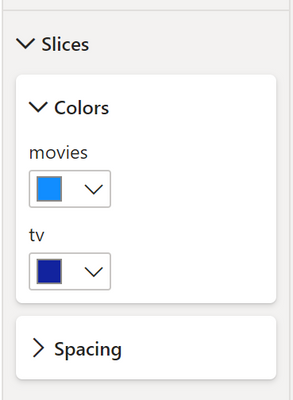
I know how to add a static legend but how to add dynamic legend (number of color picker depending data) ? 


Something like this for pie chart for example.. 

freginier_0-1669626303809.png


Thank you ! 

1 ACCEPTED SOLUTION
Anonymous
Not applicable

An interesting question indeed. I have been personally troubled by this limitation as well. 


I have 2 solutions that I have used that have somewhat worked for me. 


1. Since we have to define which fields can exist in the formatting pane beforehand, this becomes annoying when we have to dynamically allocate the number of options based on usage. One way (quite hacky) is to define ONE color field in the settings.ts . This will be responsible for all the colors that you want to dynamically create. 

The Enumerate function (which btw is deprecated, but I'm sure can be replicated in the new function as well) can have a loop for the colors that uses the Update function's options argument to decide how many values should be inserted. Between each value, you can provide a separator to know which colors should be associated with which value. This does become tricky when the user removes a value that already existed, you'll have to check which value was removed and update your app accordingly.


2. Make your own custom page (I suggest you use the dialog box option, but not really necessary). Since this can again use the options property of the update function, you should know how many colors should exist. On the new page (I mean some kind of pop-up), you can have a sort of "settings page/panel" to do this. Once done, you can save these colors in the color field you defined (again, using separators is better) and persist them in the formatting pane.  


This maybe isn't the best solution and folks here might have better answers (in which case, even I would love you to know your solutions). However, If I wasn't clear enough here, Just let me know and I can provide some code samples as an example. 


Good luck with your visual. Annoying to ask but if it did help you a bit, you could upvote. Denks. 

View solution in original post

2 REPLIES 2
Anonymous
Not applicable

An interesting question indeed. I have been personally troubled by this limitation as well. 


I have 2 solutions that I have used that have somewhat worked for me. 


1. Since we have to define which fields can exist in the formatting pane beforehand, this becomes annoying when we have to dynamically allocate the number of options based on usage. One way (quite hacky) is to define ONE color field in the settings.ts . This will be responsible for all the colors that you want to dynamically create. 

The Enumerate function (which btw is deprecated, but I'm sure can be replicated in the new function as well) can have a loop for the colors that uses the Update function's options argument to decide how many values should be inserted. Between each value, you can provide a separator to know which colors should be associated with which value. This does become tricky when the user removes a value that already existed, you'll have to check which value was removed and update your app accordingly.


2. Make your own custom page (I suggest you use the dialog box option, but not really necessary). Since this can again use the options property of the update function, you should know how many colors should exist. On the new page (I mean some kind of pop-up), you can have a sort of "settings page/panel" to do this. Once done, you can save these colors in the color field you defined (again, using separators is better) and persist them in the formatting pane.  


This maybe isn't the best solution and folks here might have better answers (in which case, even I would love you to know your solutions). However, If I wasn't clear enough here, Just let me know and I can provide some code samples as an example. 


Good luck with your visual. Annoying to ask but if it did help you a bit, you could upvote. Denks. 

Hi @Anonymous  


I try the option 1 but I can't retrieve the color value selected by the user. 

I'm displaying the colors array in the console and the colors are not updated but the selected color looks good in the format panel. Any suggestion ? 


Thank you ! 

Helpful resources

Announcements
Power BI DataViz World Championships

Power BI Dataviz World Championships

The Power BI Data Visualization World Championships is back! Get ahead of the game and start preparing now!

December 2025 Power BI Update Carousel

Power BI Monthly Update - December 2025

Check out the December 2025 Power BI Holiday Recap!

FabCon Atlanta 2026 carousel

FabCon Atlanta 2026

Join us at FabCon Atlanta, March 16-20, for the ultimate Fabric, Power BI, AI and SQL community-led event. Save $200 with code FABCOMM.