Join us at FabCon Atlanta from March 16 - 20, 2026, for the ultimate Fabric, Power BI, AI and SQL community-led event. Save $200 with code FABCOMM.
Register now!The Power BI Data Visualization World Championships is back! Get ahead of the game and start preparing now! Learn more
Hello,
It's a very weird issue.
I have a data dat is apparently filtered and I don't understand why.
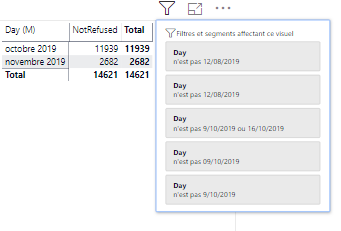
On my report, when I show some datas where I know there is two values ("Refused" and "NotRefused"), they only show de "not refused" like if there was no "refused".
Though there is no filtet !!
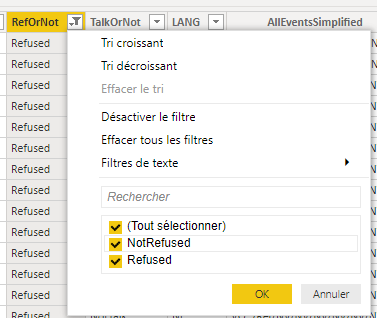
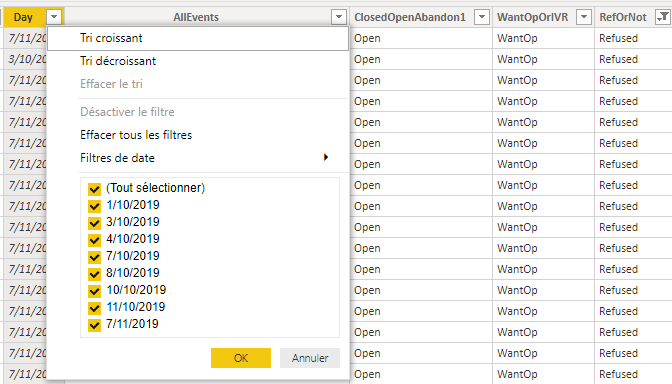
When I go in the datas, I can see that the two values are present but in the report, it's like there is only one.
It's a very disturbing issue. I hope, someone can help me.
Thank you in advance.
Solved! Go to Solution.
I'v checked and it seems that it's not the problem because there is datas inside the data ranged filtered
very weird
I find a "solution" with creating a copy of the table juste for this visuals and it's working ... so disturbing. It's like there is an hidden filter.
It seems that value "Refused" does not appear in the date range specified.
https://community.powerbi.com/t5/Desktop/DAX-Count-and-Include-Zeros/m-p/462269#M214520
I'v checked and it seems that it's not the problem because there is datas inside the data ranged filtered
very weird
I find a "solution" with creating a copy of the table juste for this visuals and it's working ... so disturbing. It's like there is an hidden filter.
The Power BI Data Visualization World Championships is back! Get ahead of the game and start preparing now!
| User | Count |
|---|---|
| 37 | |
| 36 | |
| 33 | |
| 31 | |
| 29 |
| User | Count |
|---|---|
| 132 | |
| 86 | |
| 85 | |
| 68 | |
| 64 |