
Get certified for free when you join Fabric Data Days 2026 and dive into Fabric, Power BI, SQL, AI, and other essential data skills.
Join nowJuly 7 - July 17 | Round 2 of the Power BI Dataviz World Championships. Don't miss your chance! Learn more
I have a date column like the below screenshot by using the date column I want to create fiscal week, fiscal Quarter, fiscal Month. Can you show me the DAX Query
Solved! Go to Solution.
Hi @Anonymous ,
what is the offset from the fiscal year?
By the way, there is a very comprehensive DAX date template from SQLBI, maybe it's worth taking a look.
https://www.sqlbi.com/tools/dax-date-template/
Marcus Wegener works as Full Stack Power BI Engineer at BI or DIE.
His mission is clear: "Get the most out of data, with Power BI."
twitter - LinkedIn - YouTube - website - podcast - Power BI Tutorials
Hi @Anonymous ,
@EnterpriseDNA has the date table provided with the fiscal details.
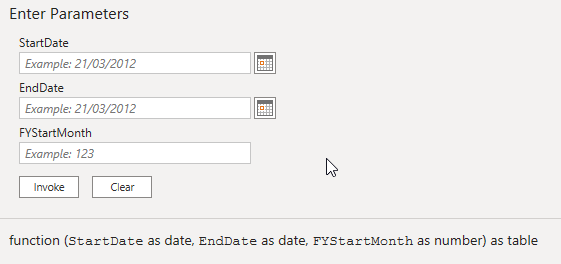
You just need to set your FY start month
Here's the link, you can download the pack and you're good to go.
https://portal.enterprisedna.co/p/ultimate-beginners-guide-to-power-bi
Hope this helps!
Hi @Anonymous ,
what is the offset from the fiscal year?
By the way, there is a very comprehensive DAX date template from SQLBI, maybe it's worth taking a look.
https://www.sqlbi.com/tools/dax-date-template/
Marcus Wegener works as Full Stack Power BI Engineer at BI or DIE.
His mission is clear: "Get the most out of data, with Power BI."
twitter - LinkedIn - YouTube - website - podcast - Power BI Tutorials
| User | Count |
|---|---|
| 24 | |
| 21 | |
| 20 | |
| 19 | |
| 13 |
| User | Count |
|---|---|
| 60 | |
| 52 | |
| 47 | |
| 40 | |
| 38 |