This time we’re going bigger than ever. Fabric, Power BI, SQL, AI and more. We're covering it all. You won't want to miss it.
Learn moreDid you hear? There's a new SQL AI Developer certification (DP-800). Start preparing now and be one of the first to get certified. Register now
We have some fields with long text (such as product name, manufacturer name, etc.) which is not good to display the whole data on the chart. I now display the item code, and use the tooltips to display the proper name. Well, this works if I connect to SQL table. If I use the SSAS cube as my data source, the tooltips will give me two options - count or count distinct. Is there any way to solve this issue - tooptips acting differently with different types of data connection!
Thanks,
Wenchi Wang
Solved! Go to Solution.
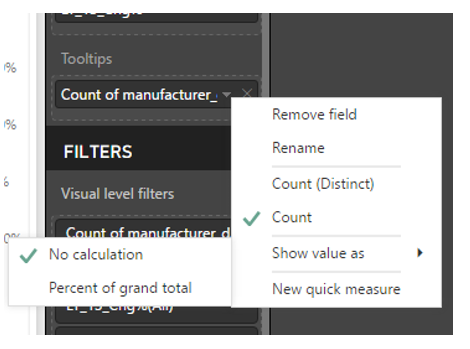
I am using combo visualization with ssas live connction. As you can see below, the tooltips showed count of manufacturer_des instead of the manufacturer_des even though i did select no calculation.
Hi @Anonymous,
1. Which visualization do you use?
2. What's the connection type? Import or Direct Query?
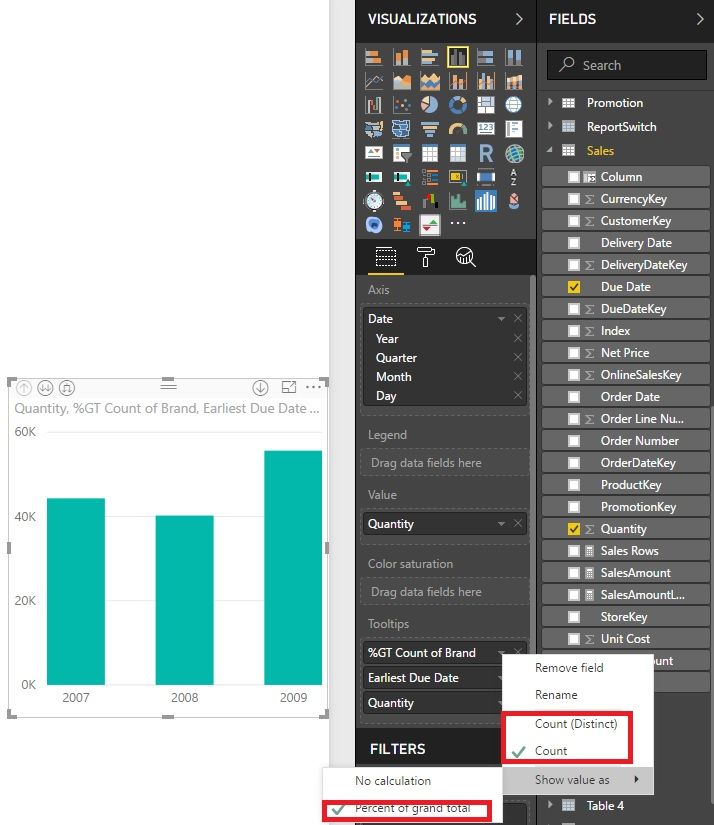
I reproduce it by change the "show value as". You can check it out.
Best Regards!
Dale
I am using combo visualization with ssas live connction. As you can see below, the tooltips showed count of manufacturer_des instead of the manufacturer_des even though i did select no calculation.
Hi @Anonymous,
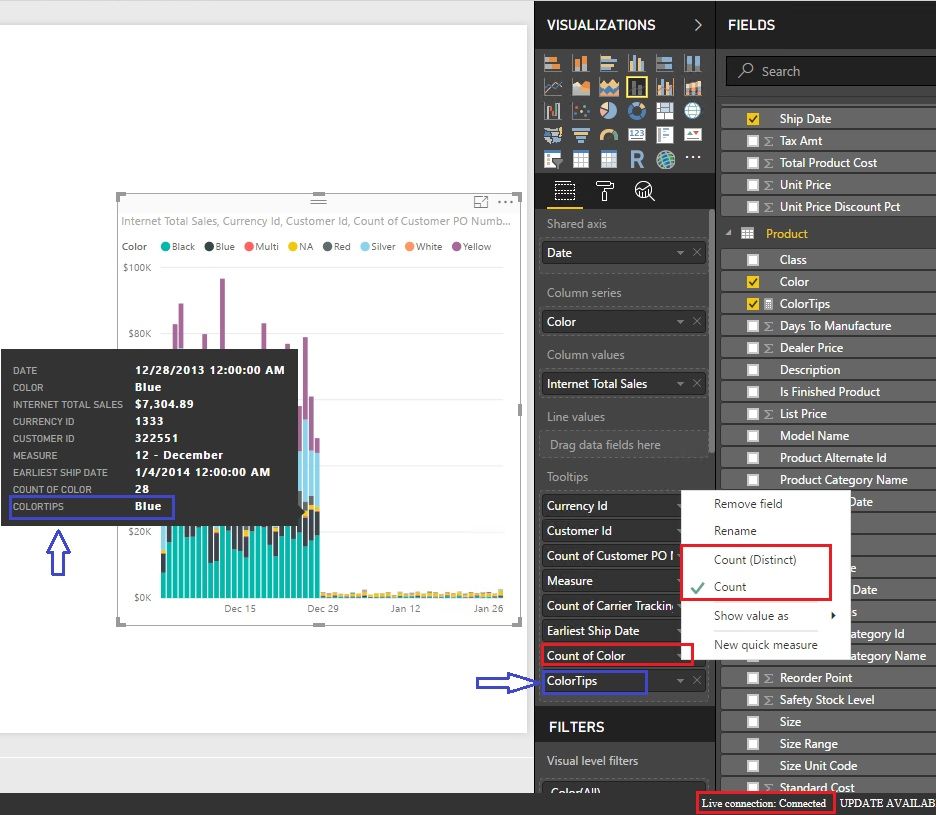
I have found a workaround. According to my test, your SSAS model is tabular. You can add a measure like this to act as a tooltip.
ColorTips = CONCATENATEX ( VALUES ( 'Product'[Color] ), 'Product'[Color], "," )
You can replace the blue part with your columns that you want to show up in the tooltips.
Best Regards!
Dale
Check out the April 2026 Power BI update to learn about new features.
Sign up to receive a private message when registration opens and key events begin.
If you have recently started exploring Fabric, we'd love to hear how it's going. Your feedback can help with product improvements.
| User | Count |
|---|---|
| 35 | |
| 32 | |
| 27 | |
| 23 | |
| 16 |
| User | Count |
|---|---|
| 65 | |
| 50 | |
| 30 | |
| 25 | |
| 24 |