Join us at FabCon Atlanta from March 16 - 20, 2026, for the ultimate Fabric, Power BI, AI and SQL community-led event. Save $200 with code FABCOMM.
Register now!The Power BI Data Visualization World Championships is back! Get ahead of the game and start preparing now! Learn more
Hello,
I need to calculate the sum on the last 12 months of the number of distinct user I have by month. (I can't just do a DISTINCTCOUNT on the last 12 month as I can have the same user_id on multiple month)
I made a first summarize to have the number of distinct users by month : SUMX(SUMMARIZE(activities;activities[user_id];dim_time[year_month];"NB User";DISTINCTCOUNT(activities[user_id]));[NB User])
This formula is working fine and now I need to sum the result on the last 12 month.
I try a formula like : 12M_Users = CALCULATE(SUMX(SUMMARIZE(activities;activities[user_id];dim_time[year_month];"NB User";DISTINCTCOUNT(activities[user_id]));[NB User]);DATEADD(dim_time[date];-12;MONTH))
But I have an error message :
Solved! Go to Solution.
@quentin_vigne : I solve my problem with this new formula :
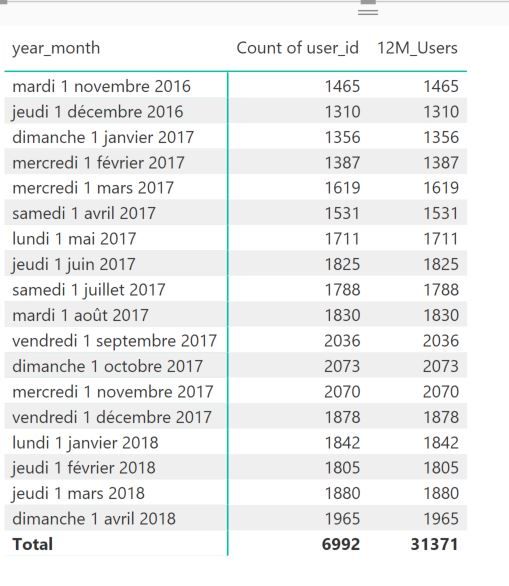
12M_Users = CALCULATE(SUMX(SUMMARIZE(activities;dim_time[year_month];"NB User";DISTINCTCOUNT(activities[user_id]));[NB User]);DATESBETWEEN (dim_time[date];NEXTDAY ( SAMEPERIODLASTYEAR ( LASTDATE ( dim_time[date] ) ) );LASTDATE ( dim_time[date] )))
I made a mistake in my first summarize.
Thanks for your help 🙂
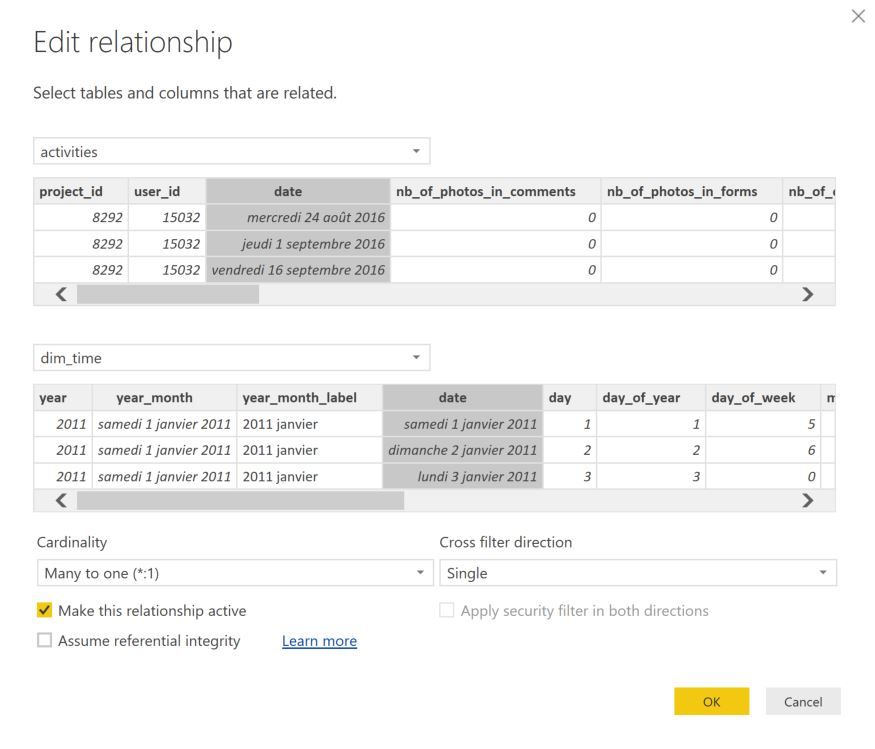
Your error message come from the relationship between two of your tables, you need to edit this relationship to one direction only.
- Quentin
@quentin_vigne : I understand the message but my relationnship between my two tables activities and dim_time is only one direction.
Do you have any other table that are related via a bi directionnal filtering ? Not sure that will solve the problem but you can still try
- Quentin
No I don't have any bi directional filtering in my current model.
All my other dax calculation are working fine. Only this one is not working. Perhaps I made some error. I just want to have a cumulative sum on last 12 month of a distinct count by month 😉
@quentin_vigne : I solve my problem with this new formula :
12M_Users = CALCULATE(SUMX(SUMMARIZE(activities;dim_time[year_month];"NB User";DISTINCTCOUNT(activities[user_id]));[NB User]);DATESBETWEEN (dim_time[date];NEXTDAY ( SAMEPERIODLASTYEAR ( LASTDATE ( dim_time[date] ) ) );LASTDATE ( dim_time[date] )))
I made a mistake in my first summarize.
Thanks for your help 🙂
The Power BI Data Visualization World Championships is back! Get ahead of the game and start preparing now!
Check out the November 2025 Power BI update to learn about new features.
| User | Count |
|---|---|
| 59 | |
| 43 | |
| 42 | |
| 23 | |
| 17 |
| User | Count |
|---|---|
| 190 | |
| 122 | |
| 96 | |
| 66 | |
| 47 |