Join us at FabCon Atlanta from March 16 - 20, 2026, for the ultimate Fabric, Power BI, AI and SQL community-led event. Save $200 with code FABCOMM.
Register now!The Power BI Data Visualization World Championships is back! Get ahead of the game and start preparing now! Learn more
Hello,
I need to calculate the sum on the last 12 months of the number of distinct user I have by month. (I can't just do a DISTINCTCOUNT on the last 12 month as I can have the same user_id on multiple month)
I made a first summarize to have the number of distinct users by month : SUMX(SUMMARIZE(activities;activities[user_id];dim_time[year_month];"NB User";DISTINCTCOUNT(activities[user_id]));[NB User])
This formula is working fine and now I need to sum the result on the last 12 month.
I try a formula like : 12M_Users = CALCULATE(SUMX(SUMMARIZE(activities;activities[user_id];dim_time[year_month];"NB User";DISTINCTCOUNT(activities[user_id]));[NB User]);DATEADD(dim_time[date];-12;MONTH))
But I have an error message :
Solved! Go to Solution.
@quentin_vigne : I solve my problem with this new formula :
12M_Users = CALCULATE(SUMX(SUMMARIZE(activities;dim_time[year_month];"NB User";DISTINCTCOUNT(activities[user_id]));[NB User]);DATESBETWEEN (dim_time[date];NEXTDAY ( SAMEPERIODLASTYEAR ( LASTDATE ( dim_time[date] ) ) );LASTDATE ( dim_time[date] )))
I made a mistake in my first summarize.
Thanks for your help 🙂
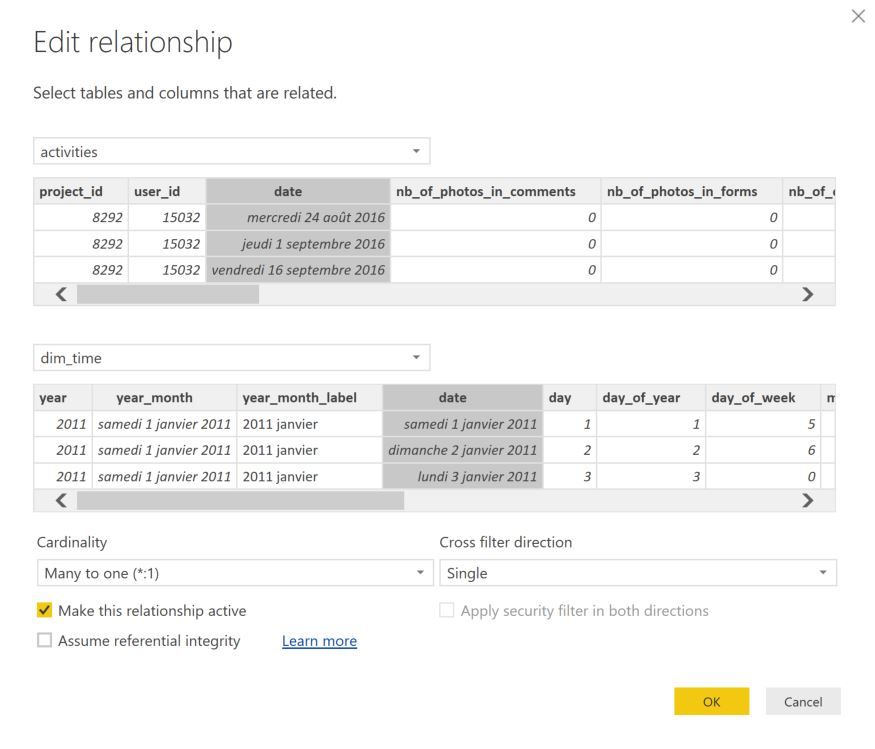
Your error message come from the relationship between two of your tables, you need to edit this relationship to one direction only.
- Quentin
@quentin_vigne : I understand the message but my relationnship between my two tables activities and dim_time is only one direction.
Do you have any other table that are related via a bi directionnal filtering ? Not sure that will solve the problem but you can still try
- Quentin
No I don't have any bi directional filtering in my current model.
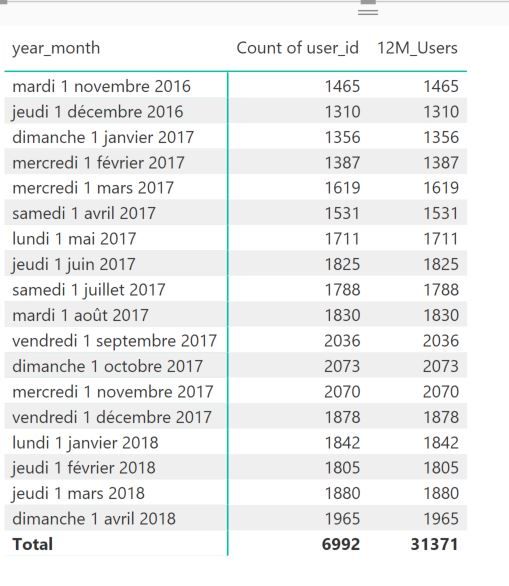
All my other dax calculation are working fine. Only this one is not working. Perhaps I made some error. I just want to have a cumulative sum on last 12 month of a distinct count by month 😉
@quentin_vigne : I solve my problem with this new formula :
12M_Users = CALCULATE(SUMX(SUMMARIZE(activities;dim_time[year_month];"NB User";DISTINCTCOUNT(activities[user_id]));[NB User]);DATESBETWEEN (dim_time[date];NEXTDAY ( SAMEPERIODLASTYEAR ( LASTDATE ( dim_time[date] ) ) );LASTDATE ( dim_time[date] )))
I made a mistake in my first summarize.
Thanks for your help 🙂
Check out the November 2025 Power BI update to learn about new features.
Advance your Data & AI career with 50 days of live learning, contests, hands-on challenges, study groups & certifications and more!
| User | Count |
|---|---|
| 58 | |
| 45 | |
| 42 | |
| 21 | |
| 18 |