Get certified for free when you join Fabric Data Days 2026 and dive into Fabric, Power BI, SQL, AI, and other essential data skills.
Join nowData Days is here! Join us now for 60+ days of learning, challenges, and connection. Learn more
I'm a Power BI newby - I would like to create a simple report but can't see how to get sub headings and sub totals onto the report. How do I do this? Example of my data set:
Type Garment Cost
Outdoor Coat 200
Outdoor sweater 100
Outdoor shoes 150
Indoor shirt 75
Indoor shoes 100
Indoor socks 10
The simple report formatting I want is:
Type Garment Cost
Outdoor Coat 200
sweater 100
shoes 150
Total Outdoor 450
Indoor Shirt 75
shoes 100
socks 10
Total Indoor 185
Grand Total 635
Solved! Go to Solution.
Hi @Anonymous,
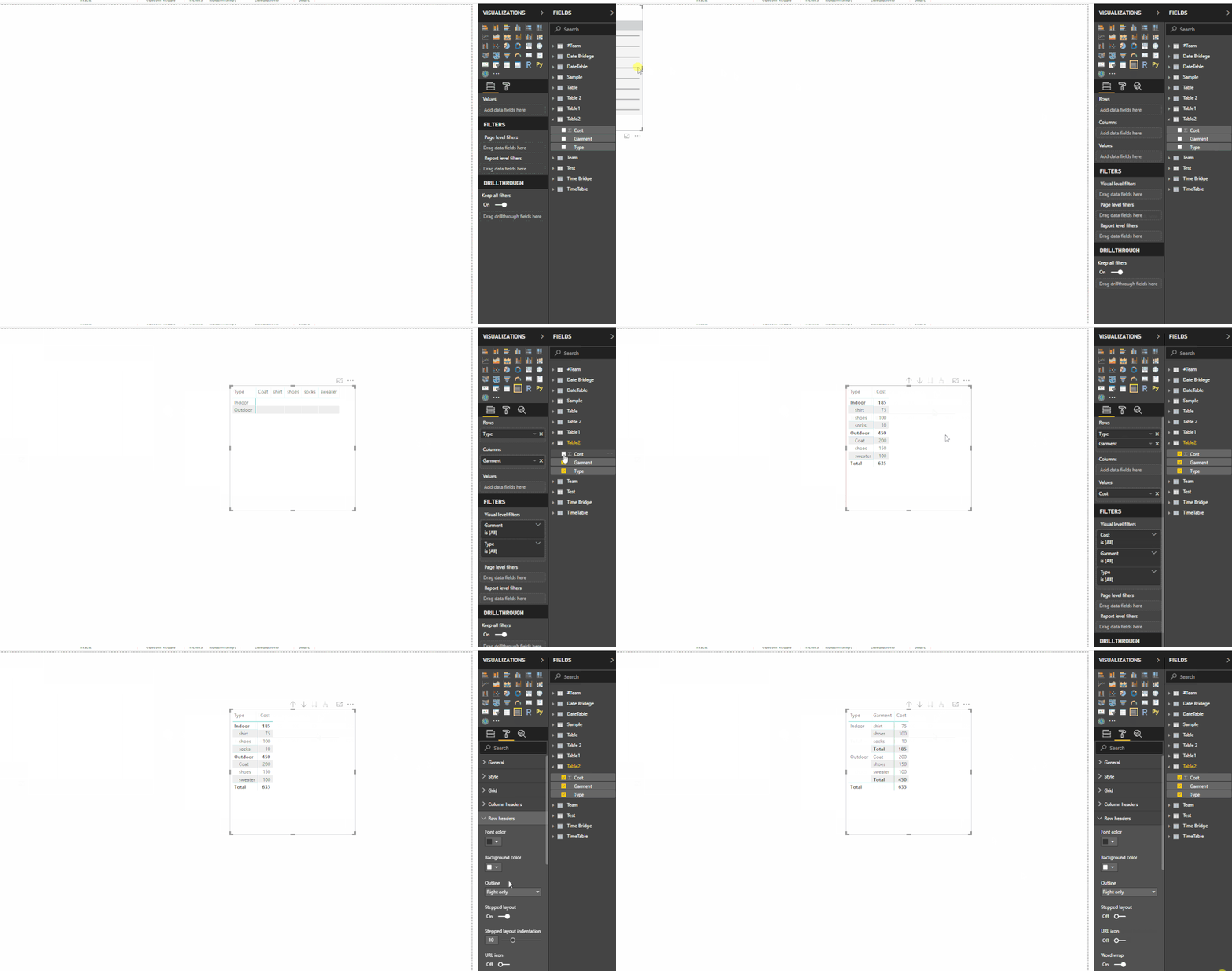
You can create a matrix with 'type', 'garment' as row fields, 'cost' as value fields, then expand row field and turn off 'stepped layout' to achieve your requirement.
Regards,
Xiaoxin Sheng
Hi @Anonymous,
You can create a matrix with 'type', 'garment' as row fields, 'cost' as value fields, then expand row field and turn off 'stepped layout' to achieve your requirement.
Regards,
Xiaoxin Sheng
Don't miss out on Data Days, June 15 through August 7. Learn Fabric, Power BI, SQL, AI and more.
Check out the May 2026 Power BI update to learn about new features.
| User | Count |
|---|---|
| 23 | |
| 23 | |
| 21 | |
| 17 | |
| 13 |
| User | Count |
|---|---|
| 58 | |
| 50 | |
| 37 | |
| 29 | |
| 24 |