cancel
Showing results for 
Search instead for 
Did you mean: 

Data Days is here! Join us now for 60+ days of learning, challenges, and connection. Learn more

Reply
Anonymous
Not applicable

simple scatter plot?

I'm at a loss. I can't figure out how to render a simple scatter plot.


I have a table (from sharepoint). I can export that table into excel, click on two columns, and insert -> scatter.


I can successfully "get data", the same sharepoint list, into Power BI Desktop. But it wants to aggregate the columns, and won't render a normal, typical, usual, boring old scatter plot.


How do I do that?

1 ACCEPTED SOLUTION
jayeckles
Advocate III
Advocate III

The fields you're using for the X Axis and Y Axis both need to be numeric types, and you have to have Details populated with something.

View solution in original post

5 REPLIES 5
jayeckles
Advocate III
Advocate III

The fields you're using for the X Axis and Y Axis both need to be numeric types, and you have to have Details populated with something.

I tried this,  both my X and Y axis are numberic and I odn't get a scatterplot.


 What kind of data goes into Details field? Thank you! Any help appreciated.

It can be literally almost anything in the details field.  The easiest way to select something is what would you want to show up in the tooltip if a user hovers over a particular point (the X, Y, and Detail values will be displayed in the tooltip).

Anonymous
Not applicable

Ah! Not intuitive, but it works. I suppose if I keep playing with it I might even figure out the best/appropriate/correct data to put in the Details field.


Thank you

alanhodgson
Solution Supplier
Solution Supplier

Hey @Anonymous,


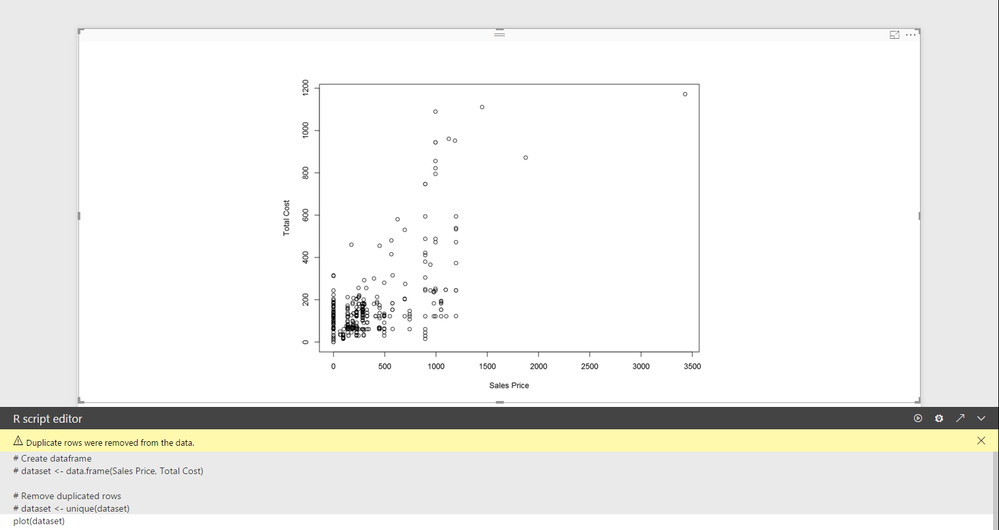
This can easily be done with an R visual. Just put the 2 columns into the "Values" and type "plot(dataset)" in the console.


Capture8.PNG


Best,


Alan

Helpful resources

Announcements
Fabric Data Days is here Carousel

Fabric Data Days 2026

Don't miss out on Data Days, June 15 through August 7. Learn Fabric, Power BI, SQL, AI and more.

May Power BI Update Carousel

Power BI Monthly Update - May 2026

Check out the May 2026 Power BI update to learn about new features.

Power BI DataViz World Championships carousel

Power BI DataViz World Championships - June 2026

A new Power BI DataViz World Championship is coming this June! Don't miss out on submitting your entry.