Join us at FabCon Atlanta from March 16 - 20, 2026, for the ultimate Fabric, Power BI, AI and SQL community-led event. Save $200 with code FABCOMM.
Register now!The Power BI Data Visualization World Championships is back! Get ahead of the game and start preparing now! Learn more
Hello ,
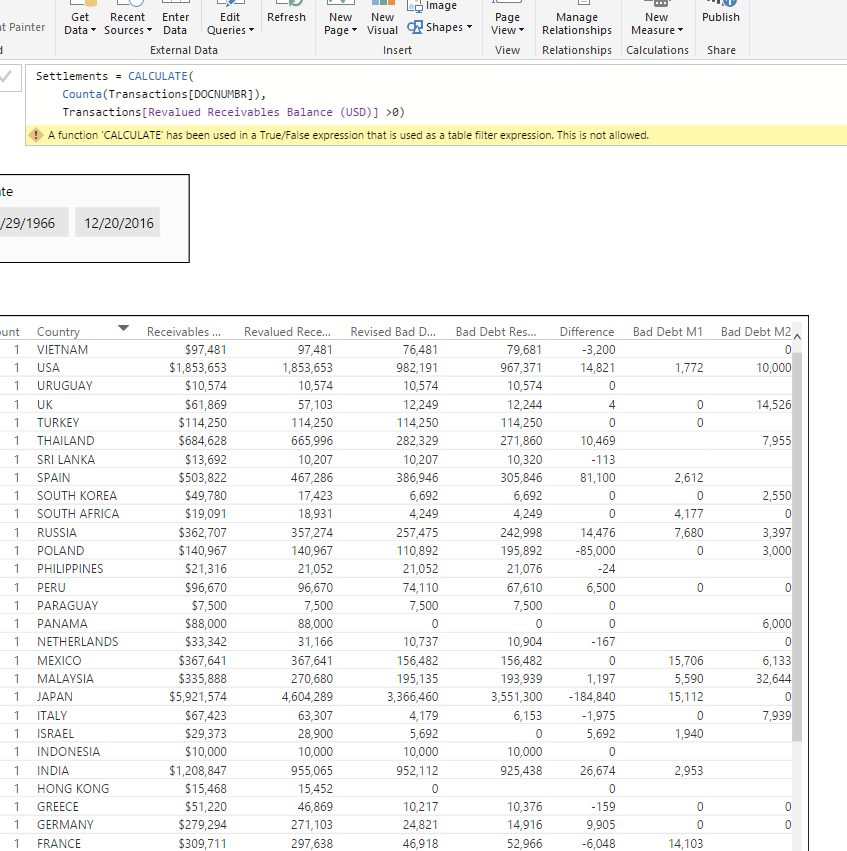
So I have spent 2 hours trying to create this formula with no luck.
I am simply trying to get a count of all documents that are currently open so that I can show the number of OPEN documents per country.
Seems like a real simple calculation but DAX of course makes it impossible to understand. I just wish they would abolish this crazy language as it makes no sense and simple calculations are extremely difficult to create.
How can I simply add a column that will Calculate all open documents per country?
Solved! Go to Solution.
Hey @lcasey.
I assume you are using the Country as the slicer, so I would use this to make your measure:
New Measure = CALCULATE(COUNTA(Transactions[Column1]), FILTER(Transactions, Transactions[Column2] > 0))
Hope this helps,
Alan
Hey @lcasey.
I assume you are using the Country as the slicer, so I would use this to make your measure:
New Measure = CALCULATE(COUNTA(Transactions[Column1]), FILTER(Transactions, Transactions[Column2] > 0))
Hope this helps,
Alan
Thanks! I am still struggling with this language. I really wish I never would have learned SQL now. I think there is some sort of block in my brain preventing me from understanding this language. I need to practice much more!!!!
Yeah, I totally understand ![]()
Check out the article here.
The author does a series of articles titled "From SQL to DAX" that might help you out.
The Power BI Data Visualization World Championships is back! Get ahead of the game and start preparing now!
| User | Count |
|---|---|
| 39 | |
| 37 | |
| 33 | |
| 33 | |
| 29 |
| User | Count |
|---|---|
| 132 | |
| 90 | |
| 78 | |
| 66 | |
| 65 |