Join us at FabCon Atlanta from March 16 - 20, 2026, for the ultimate Fabric, Power BI, AI and SQL community-led event. Save $200 with code FABCOMM.
Register now!The Power BI Data Visualization World Championships is back! Get ahead of the game and start preparing now! Learn more
Hello,
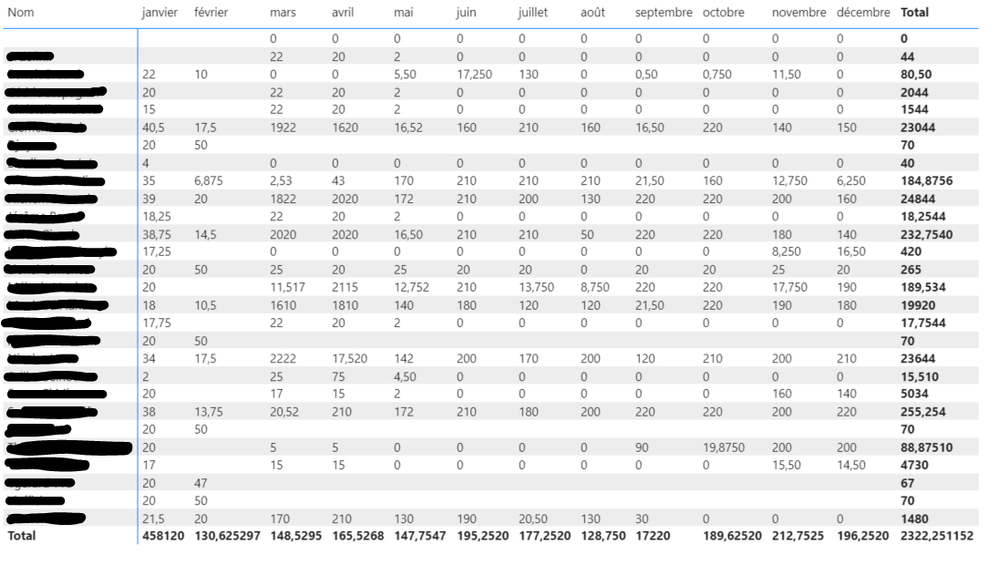
I'm working on a dax and I would regroup two measures in one to use it on a matrix table in order to display them in the following format :
The measures that I'm using are :
Nbp = CALCULATE(SUM('Forecast'[Nje]))
Nbpre = CALCULATE(SUM('Time_records'[Nb Hours])/8))
So the purpose of regrouping these to measures is to show the results, for example, in January 2020 the Nbp measure will appear and in January 2021 Nbpre will appear as I show
in the figure above.
I tried to show it on the matrix table but I can't find the results!
Do you have any ideas? Any tips?
Thank you in advance
Regards,
Hi, @Anonymous
According to your sample picture of your Matrix, it seems like you have only placed one measure into the “Value” field of your Matrix. It will also show blank if the measure doesn’t have any value in the Matrix or the two tables have no relationship.
Would you like to post some sample data or your test pbix file(without sensitive data) and your expected result so that we can help you in advance?
Thank you very much!
How to Get Your Question Answered Quickly
Best Regards,
Community Support Team _Robert Qin
If this post helps, then please consider Accept it as the solution to help the other members find it more quickly.
Hi @Anonymous
If I understand correctly, you want the below image to show the result of above image? Can you use YYYY-MM format in the column? Then combin your two measures into one
new Measure =
VAR CurYear =YEAR( SELECTEDVALUE(YOUR YYYY-MM Column))
RETURN
IF(CurYear = 2020,[Nbp],[Nbpre])
The Power BI Data Visualization World Championships is back! Get ahead of the game and start preparing now!
Check out the November 2025 Power BI update to learn about new features.
| User | Count |
|---|---|
| 59 | |
| 43 | |
| 42 | |
| 23 | |
| 17 |
| User | Count |
|---|---|
| 190 | |
| 122 | |
| 96 | |
| 66 | |
| 47 |