cancel
Showing results for 
Search instead for 
Did you mean: 

Get Fabric Certified for FREE during Fabric Data Days. Don't miss your chance! Request now

Reply
Lovebo01
Helper I
Helper I

"View errors" disappear in new versions of Power BI Desktop

Hello,


In the previous version like August 2020 version of Power BI Desktop, when you load some data and close and apply the query editor. And you have some errors from Power Query editor it shows you "View errors" like this :


View_Errors_PBI.JPG


But now it's showing nothing and replace errors directly by null value.


How to get this pop-up again in the last version of Power BI Desktop ?


Thank you,

Lovebo

1 ACCEPTED SOLUTION
v-luwang-msft
Community Support
Community Support

Hi @Lovebo01 ,

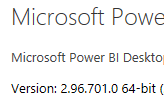
I test on the lastest version:2.96.701.0 64-bit ,the function you describe remains normal.

vluwangmsft_1-1629705916164.png


vluwangmsft_0-1629705891379.png


You could try to reload the lastest version ,and reinstall.You also could also see below to catch the Error Rows in Power Query:

https://radacad.com/exception-reporting-in-power-bi-catch-the-error-rows-in-power-query 


Don't forget to give thumbs up and accept this as a solution if it helped you!!!


Best Regards

Lucien

View solution in original post

3 REPLIES 3
v-luwang-msft
Community Support
Community Support

Hi @Lovebo01 ,

I test on the lastest version:2.96.701.0 64-bit ,the function you describe remains normal.

vluwangmsft_1-1629705916164.png


vluwangmsft_0-1629705891379.png


You could try to reload the lastest version ,and reinstall.You also could also see below to catch the Error Rows in Power Query:

https://radacad.com/exception-reporting-in-power-bi-catch-the-error-rows-in-power-query 


Don't forget to give thumbs up and accept this as a solution if it helped you!!!


Best Regards

Lucien

amitchandak
Super User
Super User

@Lovebo01 , if you have already defined steps it might take that.  Also, there can be some changes in the engine, the way it handles the error.

But if replacement is correct then it is a good to change. if not what was expected behviour

Share with Power BI Enthusiasts: Full Power BI Video (20 Hours) YouTube
Microsoft Fabric Series 60+ Videos YouTube
Microsoft Fabric Hindi End to End YouTube

I expect to see by my self the errors to correct them.


The view errors was very useful because after this we can have a table with only the errors without looking for them.

It was very useful.

Helpful resources

Announcements
November Power BI Update Carousel

Power BI Monthly Update - November 2025

Check out the November 2025 Power BI update to learn about new features.

Fabric Data Days Carousel

Fabric Data Days

Advance your Data & AI career with 50 days of live learning, contests, hands-on challenges, study groups & certifications and more!

FabCon Atlanta 2026 carousel

FabCon Atlanta 2026

Join us at FabCon Atlanta, March 16-20, for the ultimate Fabric, Power BI, AI and SQL community-led event. Save $200 with code FABCOMM.

Top Solution Authors
Top Kudoed Authors