We've captured the moments from FabCon & SQLCon that everyone is talking about, and we are bringing them to the community, live and on-demand. Starts on April 14th. Register now
I am trying to create a visualization which shows the cumulative contributions to a portfolio over time and its market value at given dates.
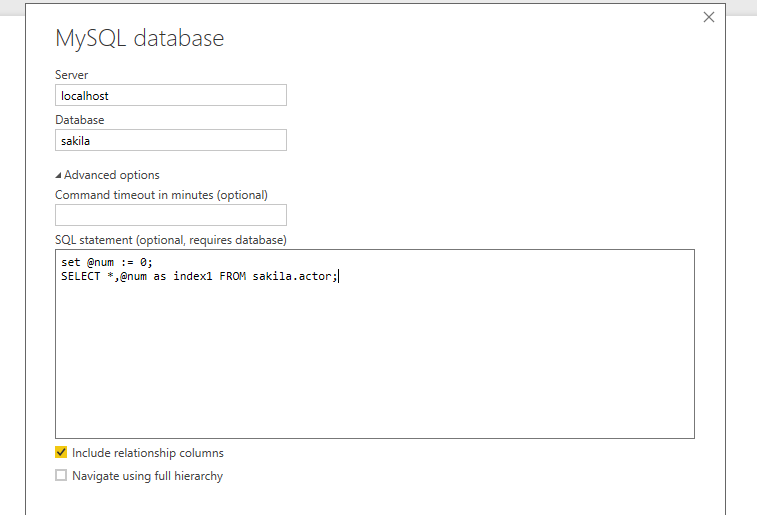
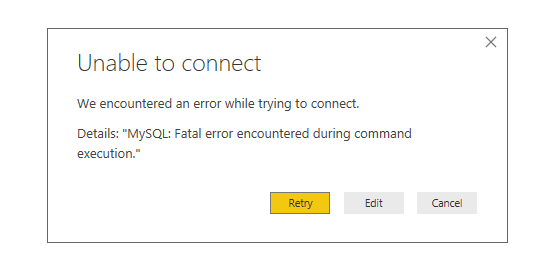
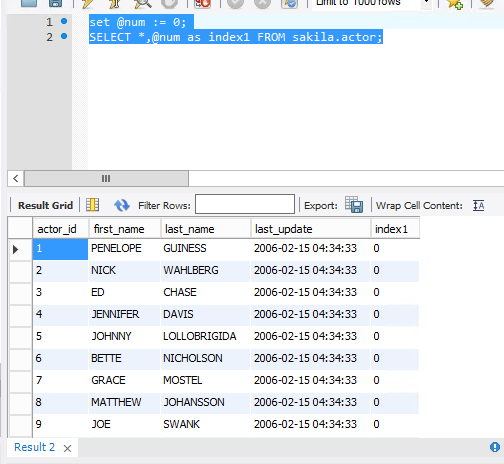
I'm connecting to a MySQL database. I initiate the connection normally by clicking New Source, entering the database credentials and my query, which includes a user-defined variable, @csum. It appears that PBI does not recognize the user defined variable as it is "outside the session." When I try to run the below, I receive the error, "MySQL: Fatal error encountered during command execution."
set @csum := 0;
select t.*, p.client_id, p.code, p.report_name1, if(t.type = 'WITHDR' or t.type = 'DELIV', -t.net_amount, t.net_amount) as Settlement_Amount, (select (@csum := @csum + Settlement_amount)) as cumulative_sum
from transaction t join portfolio p on t.portfolio_id = p.id
where t.trade_date > '2013-12-31' and (t.type = 'CONTR' OR t.type = 'WITHDR' OR t.type = 'ADD' OR t.type = 'DELIV') and t.sub_code <> 'ME' and p.code = 'REDACTED'
ORDER BY t.transaction_number
Does anyone know of a workaround for this?
Solved! Go to Solution.
I’ve got response from the Product Team.
This is outside the control of Power BI. We rely on the MySQL ADO.NET driver to correctly execute this code. It appears that in this case, it does not work.
Best Regards,
Herbert
Yes! Workaround is to change @csum to @'csum'
This fixed my issue immediately!
Great, that's it!
I’ve got response from the Product Team.
This is outside the control of Power BI. We rely on the MySQL ADO.NET driver to correctly execute this code. It appears that in this case, it does not work.
Best Regards,
Herbert
There is a solution: check post below
I'd imagine you can write query without using MySQL variable, using correlated query for cumulative sum column.
See link for some sample (Tom H's post).
https://stackoverflow.com/questions/439138/running-total-by-grouped-records-in-table
Another option may be to do cumulative sum calculation in PowerBI and not at query stage.
If you have recently started exploring Fabric, we'd love to hear how it's going. Your feedback can help with product improvements.
A new Power BI DataViz World Championship is coming this June! Don't miss out on submitting your entry.
Share feedback directly with Fabric product managers, participate in targeted research studies and influence the Fabric roadmap.
| User | Count |
|---|---|
| 53 | |
| 38 | |
| 33 | |
| 17 | |
| 17 |
| User | Count |
|---|---|
| 67 | |
| 63 | |
| 38 | |
| 34 | |
| 22 |