cancel
Showing results for 
Search instead for 
Did you mean: 

The Power BI Data Visualization World Championships is back! Get ahead of the game and start preparing now! Learn more

Reply
rveerasamy
Helper III
Helper III

need to display latest order date with repective order ID

Hi,

rveerasamy_0-1676370119998.png


rveerasamy_1-1676370859036.png


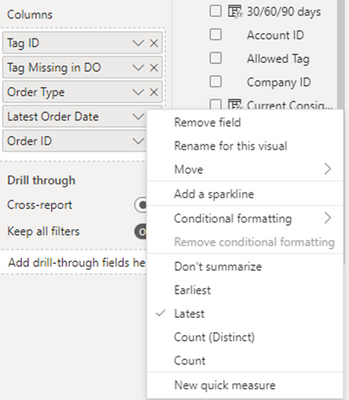
I just want to display the latest date (14-04-2022) along with respective Order ID , but while selecting latest in Order ID Column its returning last column value of the that TagId. But actually it should display the Order ID for that date.


I enclosed the images for the reference purpose.


Please advice.


1 ACCEPTED SOLUTION
Anonymous
Not applicable

Hi @rveerasamy ,


It's because row context in your visual affects the result. I made an example and provide a solution for your reference.

Sample data:
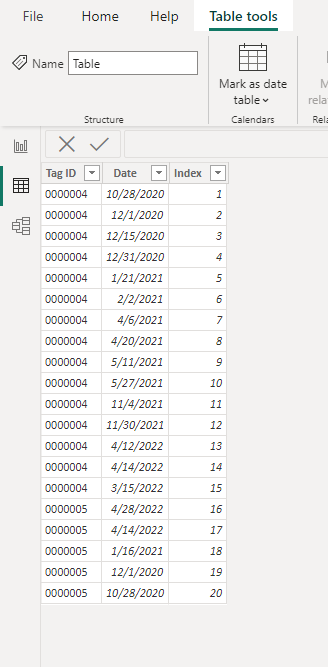
vstephenmsft_0-1676536653949.png

If there is only a Group ID in the visual, the latest date will be returned grouped according to the Group ID.

vstephenmsft_1-1676537407154.png

If you add an index column at this time, then because of the row context, the result will appear as follows.

vstephenmsft_2-1676537460900.png

Here's the solution. You can create a measure as the visual-level filters.

Measure =
VAR _date =
    CALCULATE (
        MAX ( 'Table'[Date] ),
        FILTER ( ALLSELECTED ( 'Table' ), [Tag ID] = MAX ( 'Table'[Tag ID] ) )
    )
RETURN
    IF ( _date = MAX ( 'Table'[Date] ), 1 )

Put the measure into the visual-level filters and set up show items when the value is 1.

And set the Date field to Don't summarize.
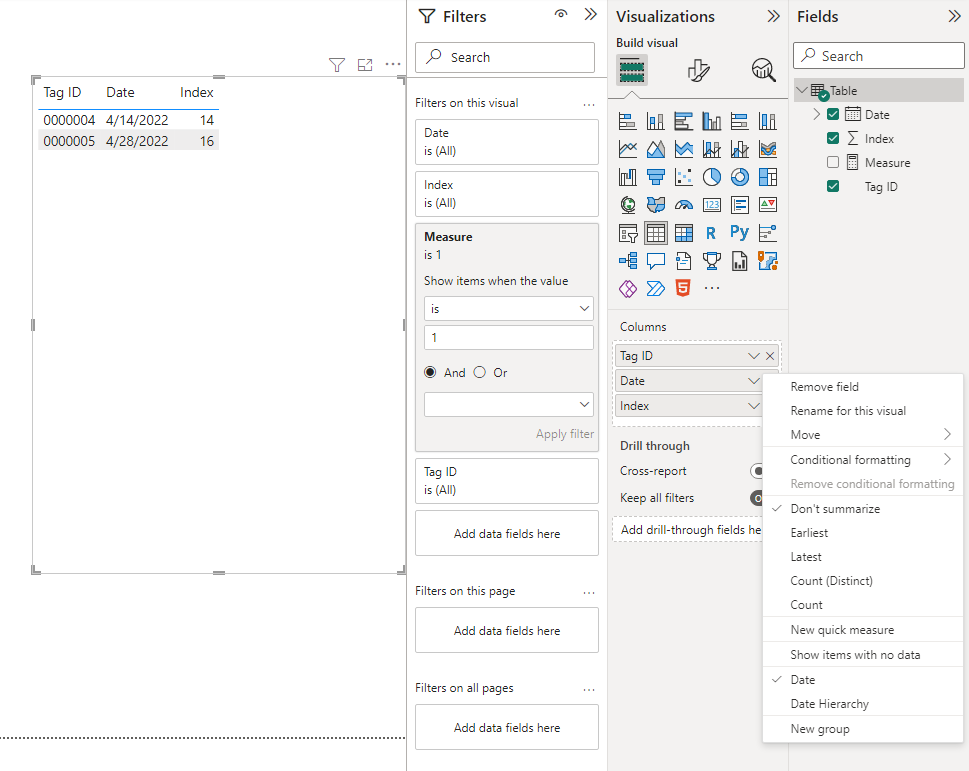
vstephenmsft_3-1676538835256.png


Best Regards,

Stephen Tao


If this post helps, then please consider Accept it as the solution to help the other members find it more quickly.           


View solution in original post

2 REPLIES 2
Anonymous
Not applicable

Hi @rveerasamy ,


It's because row context in your visual affects the result. I made an example and provide a solution for your reference.

Sample data:

vstephenmsft_0-1676536653949.png

If there is only a Group ID in the visual, the latest date will be returned grouped according to the Group ID.

vstephenmsft_1-1676537407154.png

If you add an index column at this time, then because of the row context, the result will appear as follows.

vstephenmsft_2-1676537460900.png

Here's the solution. You can create a measure as the visual-level filters.

Measure =
VAR _date =
    CALCULATE (
        MAX ( 'Table'[Date] ),
        FILTER ( ALLSELECTED ( 'Table' ), [Tag ID] = MAX ( 'Table'[Tag ID] ) )
    )
RETURN
    IF ( _date = MAX ( 'Table'[Date] ), 1 )

Put the measure into the visual-level filters and set up show items when the value is 1.

And set the Date field to Don't summarize.

vstephenmsft_3-1676538835256.png


Best Regards,

Stephen Tao


If this post helps, then please consider Accept it as the solution to help the other members find it more quickly.           


MAwwad
Solution Sage
Solution Sage


To display the latest date along with the respective Order ID, you can use the MAXX function in Power BI. Here's an example DAX formula you can use:


sqlCopy code
Latest Order Date = MAXX(GROUPBY(Orders, Orders[Order ID], "LatestOrderDate", MAX(Orders[Order Date])), [LatestOrderDate])
 

This formula groups the orders by Order ID and finds the maximum order date for each group. Then, it returns the maximum order date across all groups. You can add this formula to a new card or table in your report to display the latest order date with the respective order ID.

Helpful resources

Announcements
Power BI DataViz World Championships

Power BI Dataviz World Championships

The Power BI Data Visualization World Championships is back! Get ahead of the game and start preparing now!

December 2025 Power BI Update Carousel

Power BI Monthly Update - December 2025

Check out the December 2025 Power BI Holiday Recap!

FabCon Atlanta 2026 carousel

FabCon Atlanta 2026

Join us at FabCon Atlanta, March 16-20, for the ultimate Fabric, Power BI, AI and SQL community-led event. Save $200 with code FABCOMM.