Join us at FabCon Atlanta from March 16 - 20, 2026, for the ultimate Fabric, Power BI, AI and SQL community-led event. Save $200 with code FABCOMM.
Register now!The Power BI Data Visualization World Championships is back! Get ahead of the game and start preparing now! Learn more
hi,
Last year i made a dashboard on Power BI desktop. i saved it in sharepoint as an pbix.
Now i want to open the dashboard online. How do you do that ?
Solved! Go to Solution.
Hi @student,
Based on my test, you could get the pbix refer to below steps:
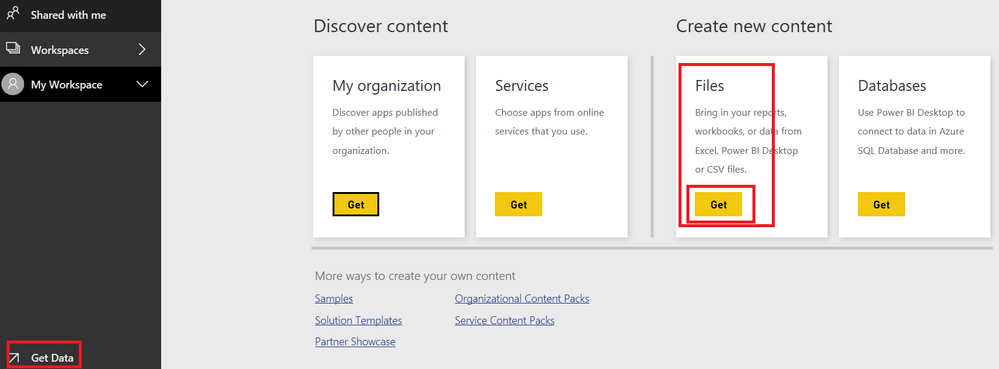
1.Click the “Get Data” and click the Files.
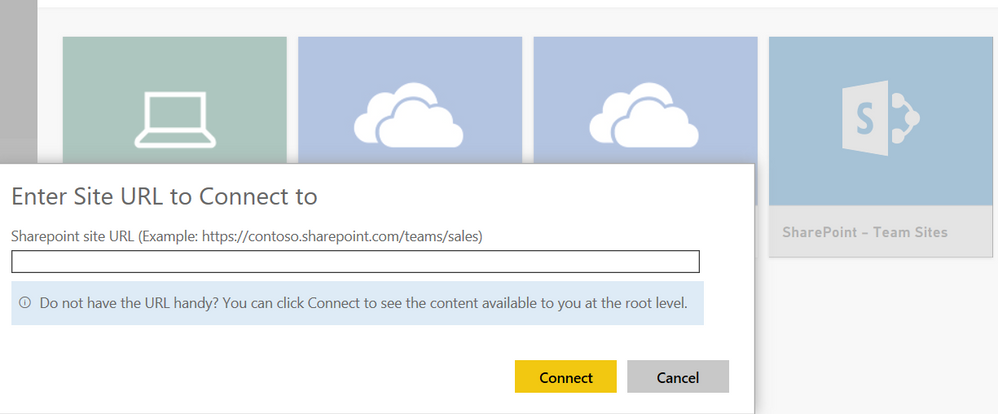
2.Choose the “SharePoint -Team sites” and enter the URL.
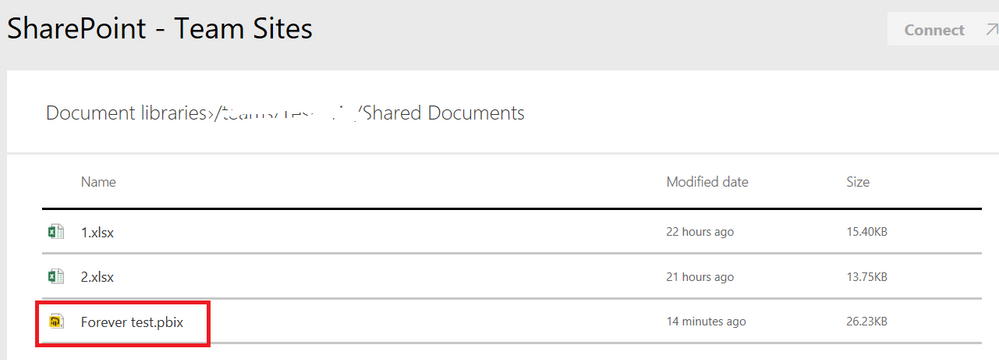
3.Now you can choose the pbix and open it online.
Regards,
Daniel He
Hi @student,
Based on my test, you could get the pbix refer to below steps:
1.Click the “Get Data” and click the Files.
2.Choose the “SharePoint -Team sites” and enter the URL.
3.Now you can choose the pbix and open it online.
Regards,
Daniel He
Thank you
The Power BI Data Visualization World Championships is back! Get ahead of the game and start preparing now!
Check out the November 2025 Power BI update to learn about new features.
| User | Count |
|---|---|
| 59 | |
| 43 | |
| 42 | |
| 23 | |
| 17 |
| User | Count |
|---|---|
| 190 | |
| 122 | |
| 96 | |
| 66 | |
| 47 |