Join us at FabCon Atlanta from March 16 - 20, 2026, for the ultimate Fabric, Power BI, AI and SQL community-led event. Save $200 with code FABCOMM.
Register now!The Power BI Data Visualization World Championships is back! Get ahead of the game and start preparing now! Learn more
My problem looks to be very simple yet i am not able to solve it.
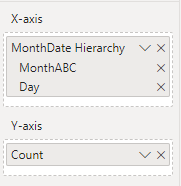
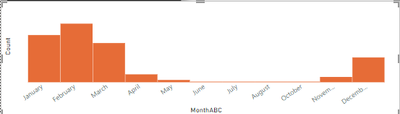
I have a created the following clustered visual, where on the x axis i am selecting a month date hierarchy and on the y axis a count measure
The visual display perfectly when i am viewing the month level,
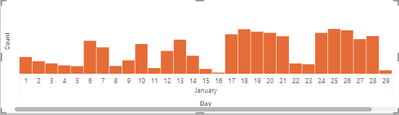
However when i drill down to the day level, I am unable to view all the columns without scrolling to the right.
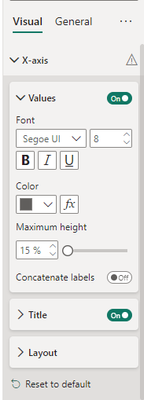
when using the hierarchy on the x-axis i don't see the X-axis Type, to set it to continous, neither on the month level nor on the Day level.
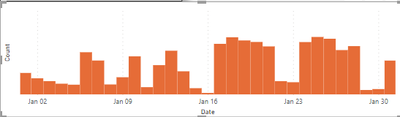
What is really puzzling is that if i replace the hierarchy by the day column on x-axis, the visual will autofit all the columns are showing correctly
Any suggestions are more than welcome.
Thanks
I Have exactly the same problem.
Were you able to solve it or find any workaround?
I've been searching a lot for a solution for this but nothing.
It seems power BI is not capable of Concatenating the labels of several columns and still treat it as a continous.
Thanks for your reply @amitchandak , i have mentioned in my original post that when i am using the hierarchy, the axis Type is disappearing:
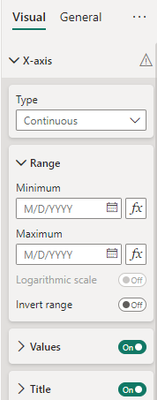
Although for the two levels, if i drag them individually to the visual, i can clearly see the Type set to continuous
The Power BI Data Visualization World Championships is back! Get ahead of the game and start preparing now!
Check out the November 2025 Power BI update to learn about new features.
| User | Count |
|---|---|
| 59 | |
| 43 | |
| 42 | |
| 23 | |
| 17 |
| User | Count |
|---|---|
| 190 | |
| 122 | |
| 96 | |
| 66 | |
| 47 |