Join us at FabCon Atlanta from March 16 - 20, 2026, for the ultimate Fabric, Power BI, AI and SQL community-led event. Save $200 with code FABCOMM.
Register now!The Power BI Data Visualization World Championships is back! Get ahead of the game and start preparing now! Learn more
Hi!
I have a matrix where I display info about my employees like name,dob,hire date and so on.
I want to increase the height of my rows and I did that from visuals->grid but the problem with this is that my text wont stay allign.So if go to row headers->options->stepped layout identation and make it to 0,my texts will allign but the height of rows will decrease.
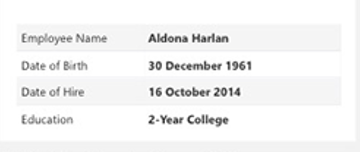
I want to create something simillar to this Personal Information section :
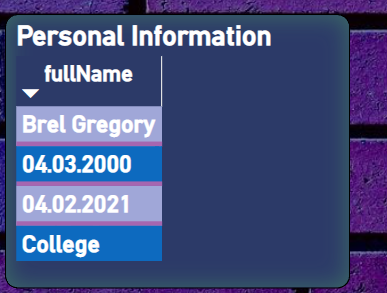
But my result is looking like this :
Also,how I can display on the same row,columns titles on the left like in pic 1?
Solved! Go to Solution.
Hi @Bianca________ ,
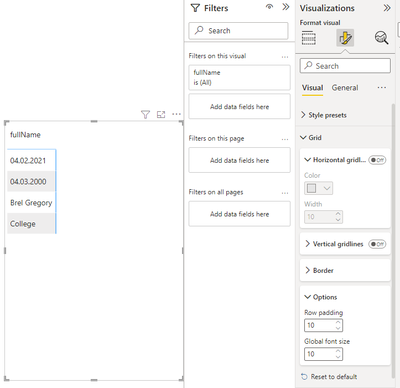
You can change the Row padding in Visual - Grid - Options,
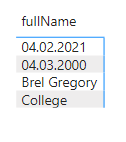
Before:
After change the settings:
After my test, they will still stay allign.
Best Regards,
Jianbo Li
If this post helps, then please consider Accept it as the solution to help the other members find it more quickly.
Hi @Bianca________ ,
You can change the Row padding in Visual - Grid - Options,
Before:
After change the settings:
After my test, they will still stay allign.
Best Regards,
Jianbo Li
If this post helps, then please consider Accept it as the solution to help the other members find it more quickly.
The Power BI Data Visualization World Championships is back! Get ahead of the game and start preparing now!
| User | Count |
|---|---|
| 39 | |
| 39 | |
| 37 | |
| 29 | |
| 24 |
| User | Count |
|---|---|
| 120 | |
| 95 | |
| 70 | |
| 69 | |
| 65 |