cancel
Showing results for 
Search instead for 
Did you mean: 

The Power BI Data Visualization World Championships is back! Get ahead of the game and start preparing now! Learn more

Reply
leon-du
New Member

hdpi scaling

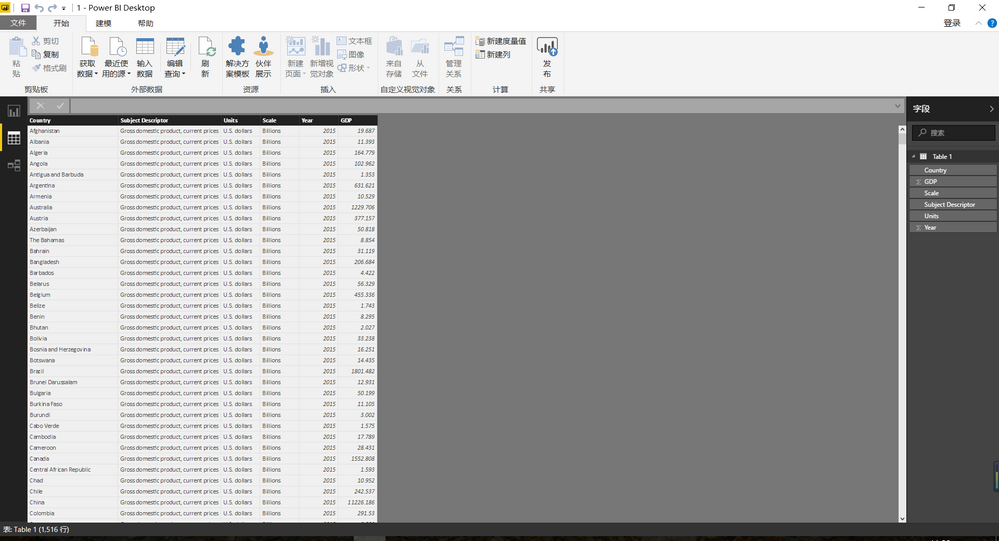
Hi, power BI content are too small in hdpi monitor, navbar looks good, but others are too small, can it be ajusted?

or power BI currently doesn't support hdpi scaling?

image.png

1 REPLY 1
Anonymous
Not applicable

@leon-du,

There is no option to adjust display settings in Power BI Desktop, I would recommend you go to Control Panel->Appearance and Personalization->Display to change scaling level, then check if fields in Power BI Desktop looks bigger.
1.JPG


Meanwhile, there is an idea about that enable Power BI Desktop to work with High DPI scaling, you can vote it up.

https://ideas.powerbi.com/forums/265200-power-bi-ideas/suggestions/8196258-enable-powerbi-designer-t...

Regards,
Lydia

Helpful resources

Announcements
Power BI DataViz World Championships

Power BI Dataviz World Championships

The Power BI Data Visualization World Championships is back! Get ahead of the game and start preparing now!

December 2025 Power BI Update Carousel

Power BI Monthly Update - December 2025

Check out the December 2025 Power BI Holiday Recap!

FabCon Atlanta 2026 carousel

FabCon Atlanta 2026

Join us at FabCon Atlanta, March 16-20, for the ultimate Fabric, Power BI, AI and SQL community-led event. Save $200 with code FABCOMM.