Join us at FabCon Atlanta from March 16 - 20, 2026, for the ultimate Fabric, Power BI, AI and SQL community-led event. Save $200 with code FABCOMM.
Register now!The Power BI Data Visualization World Championships is back! Get ahead of the game and start preparing now! Learn more
Hi guys,
Sorry for the simple question.
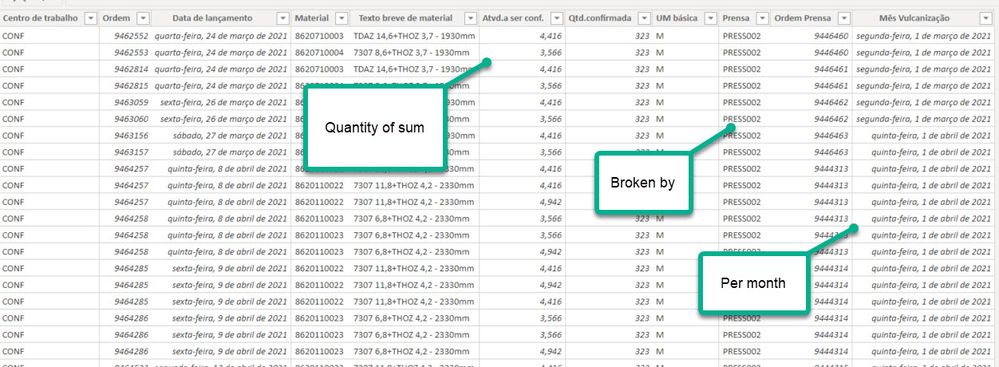
I have a measure with the simple SUM for a column (Tempo Ocupado CAL = SUM('ZCO08-CAL'[Atvd.a ser conf.])
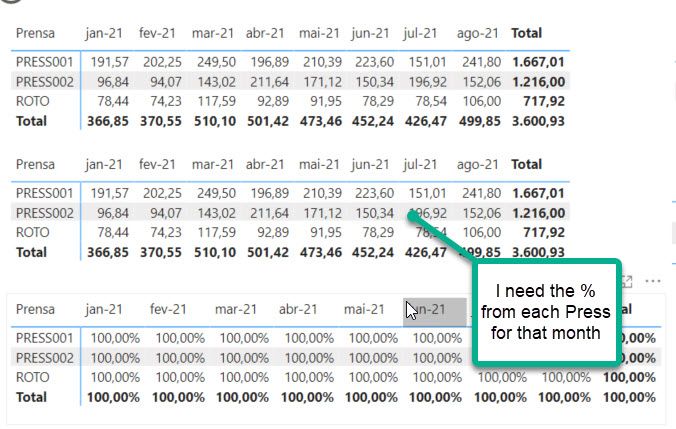
I want to find out the % that it represents for each product family (Press/Prensa) for each month.
I need to build the measure for it, as I need to put it in a chart.
Hi @uie07923
You could try this measure:
Percentage = DIVIDE(SUM('ZCO08-CAL'[Atvd.a ser conf.]),CALCULATE(SUM('ZCO08-CAL'[Atvd.a ser conf.]),ALLSELECTED('ZCO08-CAL'[Prensa])))
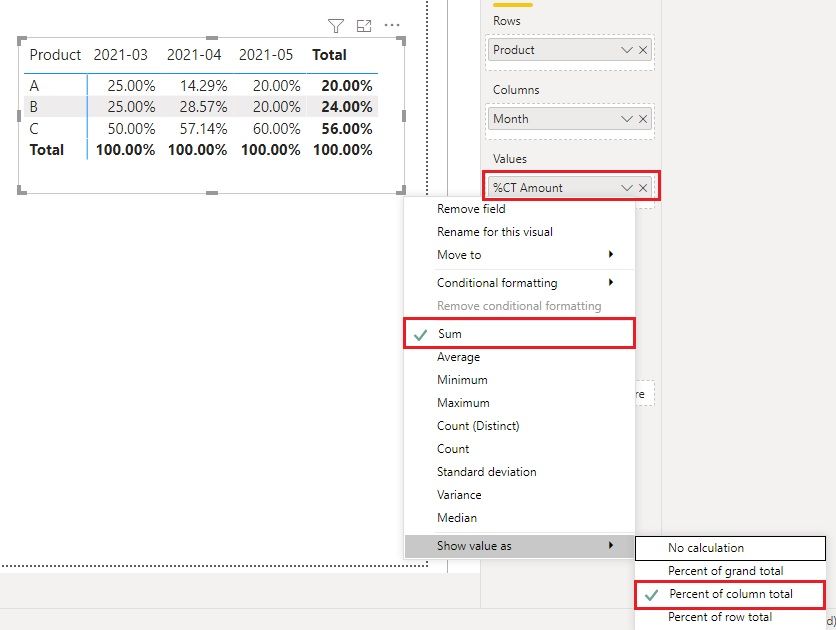
Another option is that you can drag 'ZCO08-CAL'[Atvd.a ser conf.] column into the Matrix visual as Values field. Then right click on it and select Sum and Show value as > Percent of column total.
Best Regards,
Community Support Team _ Jing
If this post helps, please Accept it as Solution to help other members find it.
it depends on how you are going to display it on the visual, what is your expectation of how it will look as per the table you have provided?
also its always best to provide sample data in text form.
Proud to be a Super User!
The Power BI Data Visualization World Championships is back! Get ahead of the game and start preparing now!
Check out the November 2025 Power BI update to learn about new features.
| User | Count |
|---|---|
| 59 | |
| 46 | |
| 42 | |
| 23 | |
| 18 |
| User | Count |
|---|---|
| 193 | |
| 124 | |
| 101 | |
| 67 | |
| 49 |