cancel
Showing results for 
Search instead for 
Did you mean: 

Did you hear? There's a new SQL AI Developer certification (DP-800). Start preparing now and be one of the first to get certified. Register now

Reply
cwayne758
Helper IV
Helper IV

format chart

Hi, 


very basic question here and apologies in advance if this has been answered somewhere else.


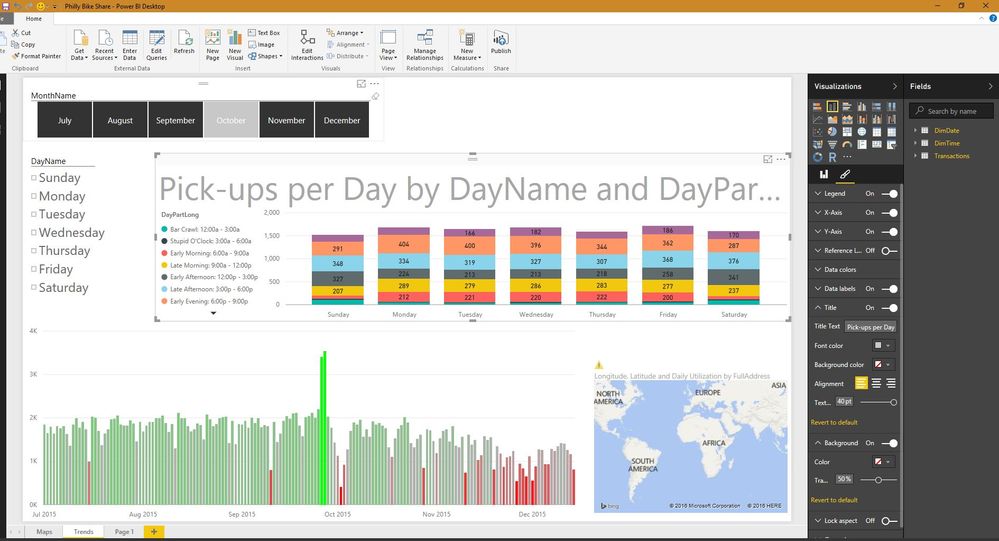
I am curious if there is a way for me to increase my font size on the chart without loosing the title behind the actual chart. 


In my experiences, I haven't been able to increase font size above 10 without compromising readability. example of title lossexample of title loss

1 ACCEPTED SOLUTION

Definitely a bug. Does it happen in other .pbix files? If you create a brand new chart and only change the Title font size, does it continue behaving the same, or do you have to make some other changes before reproducing this behavior?

View solution in original post

4 REPLIES 4
greggyb
Resident Rockstar
Resident Rockstar

Does this happen for all charts for you? I can't reproduce and haven't seen this before. Can you share the formatting options you've changed for the affected visual(s)?


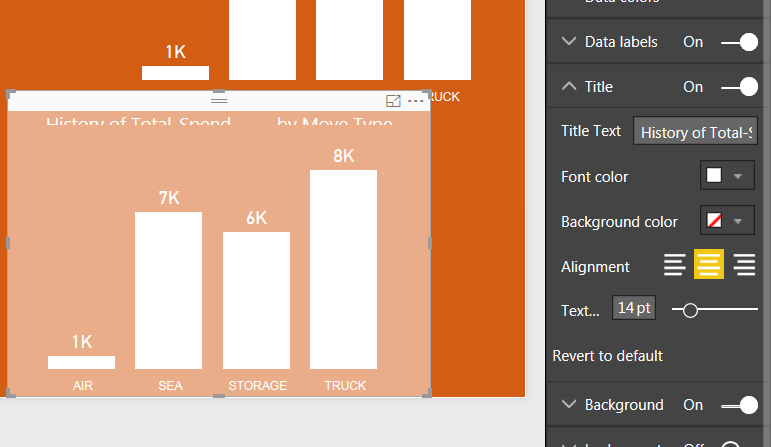
Here's a sample chart I've got with max sized chart title:

Capture.JPG


Make sure you submit this as a bug report, as well. You can do so in PBI Desktop by using the 'Send a frown' option in the File menu.

The forums are a great avenue for discussing issues, sharing thoughts / ideas, and troubleshooting, but they are not the official medium to submit bug reports.

Proper bug reports will receive more attention from the devs than forum posts.

I have reported this as a bug, but was unsure whether this was user-error or not. 


It happens on all charts.


Capture.PNG

Definitely a bug. Does it happen in other .pbix files? If you create a brand new chart and only change the Title font size, does it continue behaving the same, or do you have to make some other changes before reproducing this behavior?

Yes it happens in all .pbix files, unfortunately. 


There's still no enough formatting ability for my uses so I still do the good-ole create the header in powerpoint, save as an image, then upload to desktop report. 


Thanks for your assistance! 

Helpful resources

Announcements
April Power BI Update Carousel

Power BI Monthly Update - April 2026

Check out the April 2026 Power BI update to learn about new features.

Fabric SQL PBI Data Days

Data Days 2026 coming soon!

Sign up to receive a private message when registration opens and key events begin.

New to Fabric survey Carousel

New to Fabric Survey

If you have recently started exploring Fabric, we'd love to hear how it's going. Your feedback can help with product improvements.

Power BI DataViz World Championships carousel

Power BI DataViz World Championships - June 2026

A new Power BI DataViz World Championship is coming this June! Don't miss out on submitting your entry.