cancel
Showing results for 
Search instead for 
Did you mean: 

The Power BI Data Visualization World Championships is back! Get ahead of the game and start preparing now! Learn more

Reply
Gianluigi
Helper II
Helper II

format Date

HI,
I import a csv file 


02/10/2023;10/10/2023
31/12/2023;02/01/2024
04/05/2023;01/06/2023
10/03/2021;10/04/2021


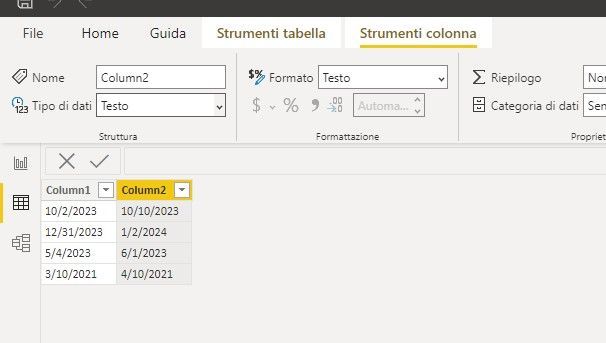
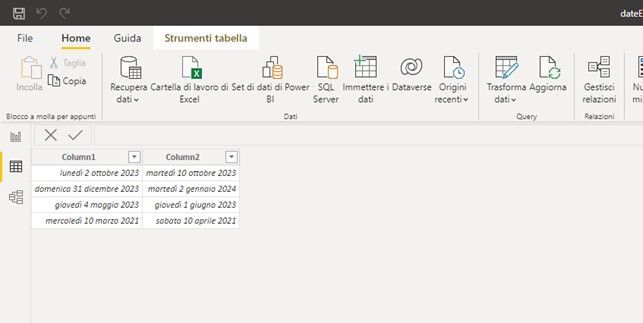
power bi recognizes the date ( dd/mm/yyy Italian) by importing it correctly


if I transform the field of type date into string , the date becomes mm/dd/yyyy

see Attachment


HelpImmagine3.jpgImmagine2.jpgImmagine1.jpg


2 REPLIES 2
vicky_
Super User
Super User

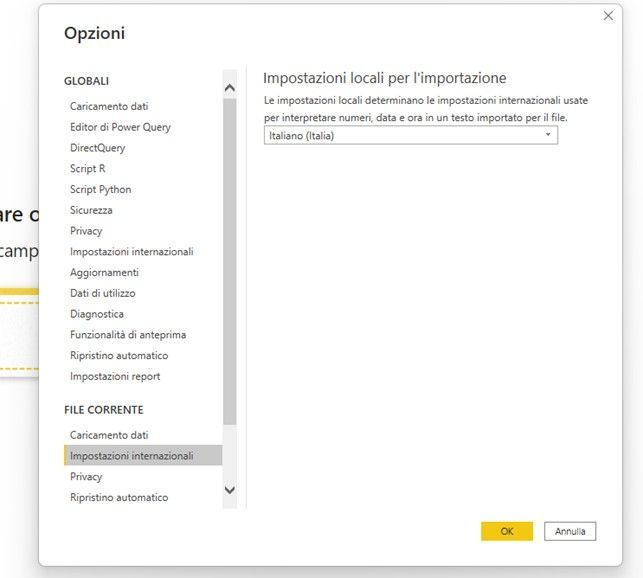
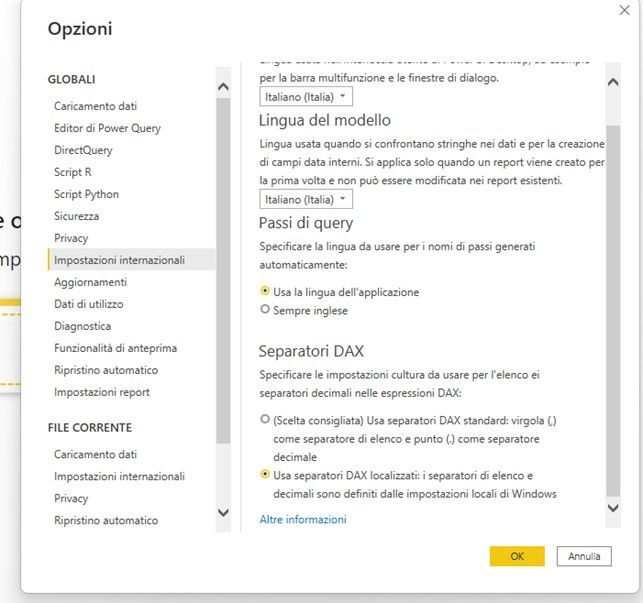
You can use FORMAT([date], "dd/mm/yyy") to force it to display in a certain format. Other than that, check that your local pc (windows) settings are using the correct date format, or take a look at the Power BI settings under File > Options > Regional Settings (both Global and Current File).

Hi,

the settings seem correctImmagine5.jpgImmagine4.jpg

Helpful resources

Announcements
Power BI DataViz World Championships

Power BI Dataviz World Championships

The Power BI Data Visualization World Championships is back! Get ahead of the game and start preparing now!

November Power BI Update Carousel

Power BI Monthly Update - November 2025

Check out the November 2025 Power BI update to learn about new features.

FabCon Atlanta 2026 carousel

FabCon Atlanta 2026

Join us at FabCon Atlanta, March 16-20, for the ultimate Fabric, Power BI, AI and SQL community-led event. Save $200 with code FABCOMM.