cancel
Showing results for 
Search instead for 
Did you mean: 

Level up your Power BI skills this month - build one visual each week and tell better stories with data! Get started

Reply
ifat_c
Helper I
Helper I

error while publishing

Hi

when I try to publish my report I'm getting the following error message:

"This report was already published to the selected destination"


the history of this report is the following:

1. It worked perfectly under the original name. I updated it and republished it a few times a day to a specific workspace in the service.

2. I had a bug where visual duplicated itself to all the different pages of my report.

3. I duplicated the pbix file and renamed it.

4. I published the new file to the service and deleted the old one.

5. I updated the new file and tried to publish it and the error appeared. 

6. I've deleted the workspace, and logged out from the service and from the PBI desktop.

7. I've created a new workspace and (successfully) published the new report there.

8. made changes, tried to publish them and got that error again.


how can I solve this?

thanks 

3 REPLIES 3
v-lid-msft
Community Support
Community Support

Hi @ifat_c ,


As the step 6-8 you shared, the problem may be in this pbix, you can try to make several simple visual using the same data in a new pbix file, then publish and update to see if the problem will occur again.


Community Support Team _ DongLi
If this post helps, then please consider Accept it as the solution to help the other members find it more

Community Support Team _ Dong Li
If this post helps, then please consider Accept it as the solution to help the other members find it more quickly.

The problem IS in the pbix. but what is the solution?? I can't create the report from scratch, and it turns out that when I try to copy paste it, it doesn't solve the prob.

so what do you suggest? is this a new bug you don't know? will it be fixed in the next version of PBI?

Hi @ifat_c ,


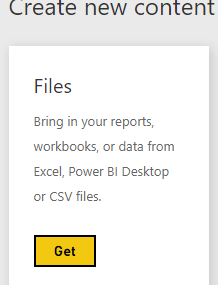
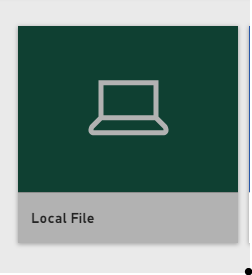
You can try to use the "get data" in Power BI Service and then use this again to update.


Capture1.PNGCapture2.PNGCapture3.PNG


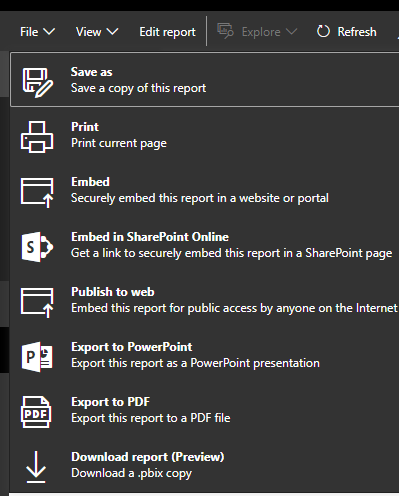
If it does not work again, use the "Download as pbix" in Power BI Service ,then use the download file to test the update.


Capture4.PNGCapture5.PNGCapture3.5.PNG


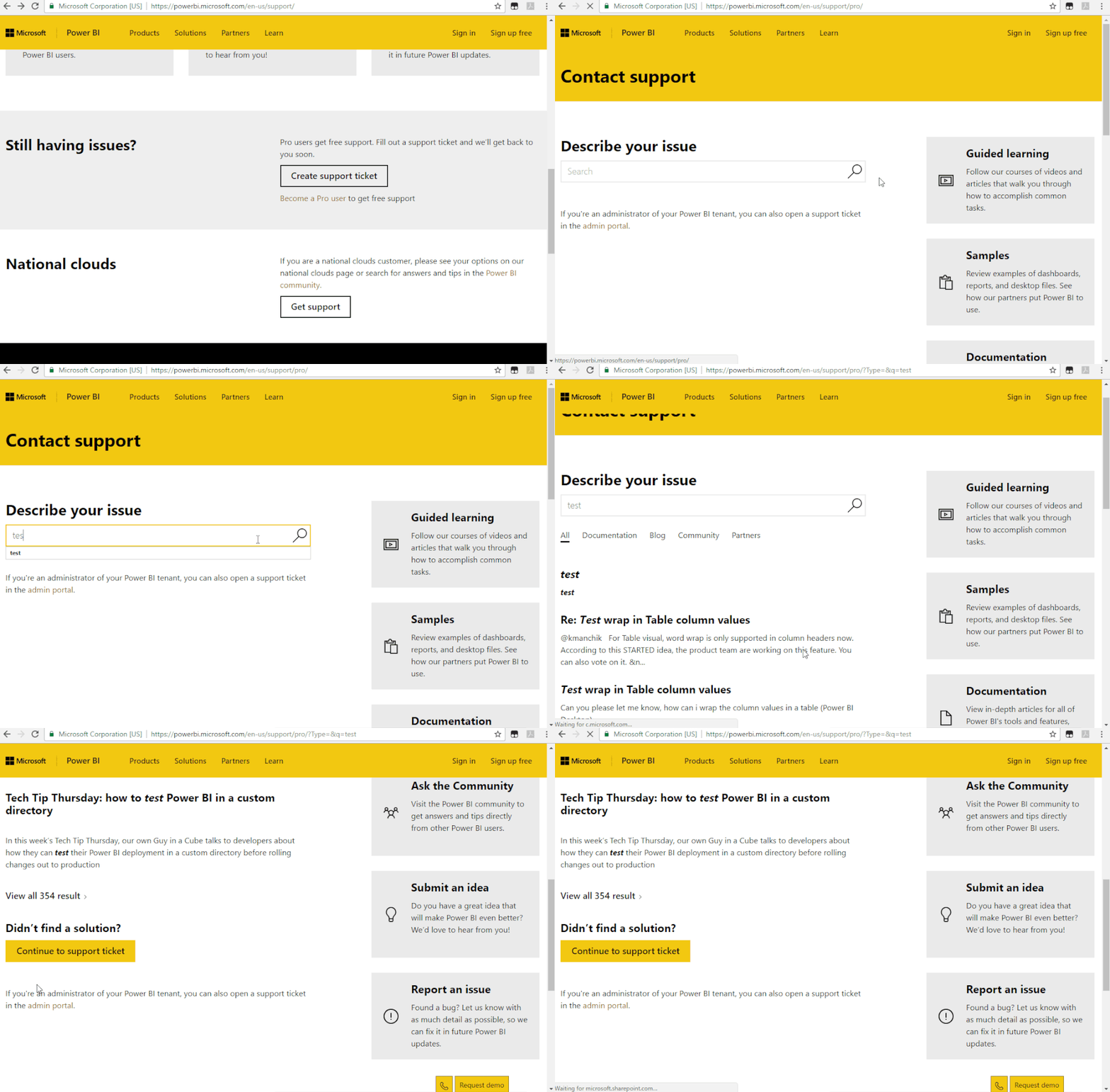
If previous suggestion cannot help you.  We suggest you to open a ticket here for help if you are a pro user: https://powerbi.microsoft.com/en-us/support/


Support Ticket (1).gif


Community Support Team _ DongLi
If this post helps, then please consider Accept it as the solution to help the other members find it more

Community Support Team _ Dong Li
If this post helps, then please consider Accept it as the solution to help the other members find it more quickly.

Helpful resources

Announcements
April Power BI Update Carousel

Power BI Monthly Update - April 2026

Check out the April 2026 Power BI update to learn about new features.

Fabric SQL PBI Data Days

Data Days 2026 coming soon!

Sign up to receive a private message when registration opens and key events begin.

New to Fabric survey Carousel

New to Fabric Survey

If you have recently started exploring Fabric, we'd love to hear how it's going. Your feedback can help with product improvements.

Power BI DataViz World Championships carousel

Power BI DataViz World Championships - June 2026

A new Power BI DataViz World Championship is coming this June! Don't miss out on submitting your entry.