Join us at FabCon Atlanta from March 16 - 20, 2026, for the ultimate Fabric, Power BI, AI and SQL community-led event. Save $200 with code FABCOMM.
Register now!Vote for your favorite vizzies from the Power BI Dataviz World Championship submissions. Vote now!
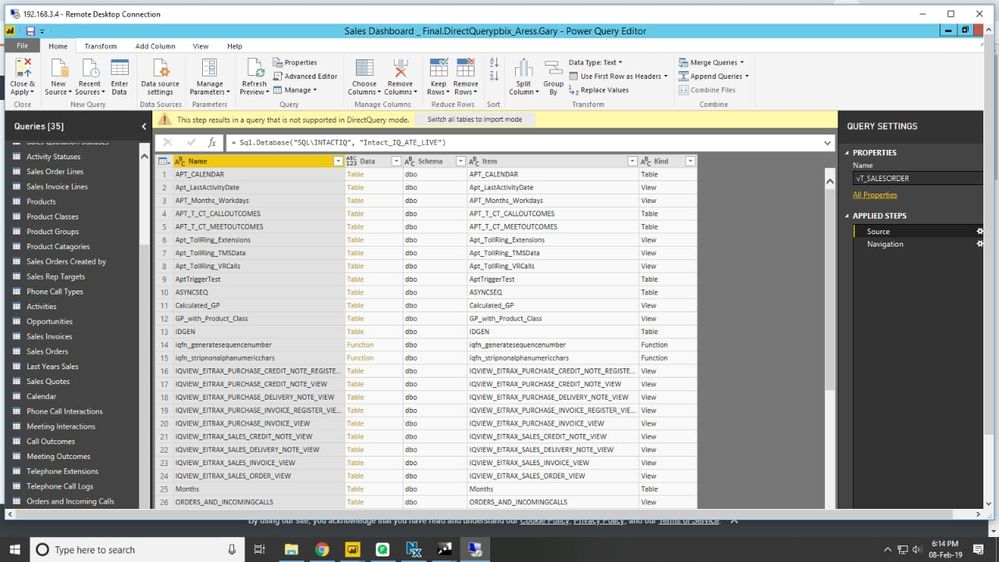
The data is fetched from SQL server via direct query still the first line of "source" shows this message "This step results in a query that is not supported in DirectQuery mode(switch all tables into import mode)". The next "navigation" doesn't show any msg . So can you what exactly is the cause of this. Is there any proof or documention of this . Please help ASAP.
Hi @Anonymous
Which version of Power BI Desktop do you use?
The next "navigation" doesn't show any msg.
Does this mean when you click on ""navigation", it shows data correctly without the warning: "This step results in a query that is not supportedin DirectQuery mode"?
Best Regards
Maggie
Can you click on your query and then click Advanced Editor and copy and paste the text here? Is this the only Direct Query mode query in your file? Are you using composite models?
Thanks, for your reply.We have taken the data only through direct query and its not a composite model.
here's the advanced editor code
let
Source = Sql.Database("machine-54", "AdventureWorksDW2014"),
dbo_DimCurrency = Source{[Schema="dbo",Item="DimCurrency"]}[Data]
in
dbo_DimCurrency
Vote for your favorite vizzies from the Power BI World Championship submissions!
If you love stickers, then you will definitely want to check out our Community Sticker Challenge!
Check out the January 2026 Power BI update to learn about new features.
| User | Count |
|---|---|
| 58 | |
| 52 | |
| 40 | |
| 17 | |
| 16 |
| User | Count |
|---|---|
| 112 | |
| 109 | |
| 40 | |
| 33 | |
| 27 |